Template-based extractors fail on the first layout variation. A vendor reissues an invoice format, a loan package arrives with a non-standard guaranty section, or a scan comes in rotated, and the template resets, fields misclassify, and a correction queue compounds faster than any team can clear it. Tool calling patterns for document APIs replace static workflows with agents that select tools, arguments, and call order based on what a document actually contains at inference time. A 200-page loan package with a guaranty clause spanning pages 49 through 52 resolves as a single entity across segment boundaries instead of producing four partial extractions requiring manual reconciliation. Typed schemas attach confidence scores at the field level, so low-confidence results route to human review before reaching downstream systems, and agents handling mixed queues of W-2s, pay stubs, and bank statements dispatch type-specific extraction calls without requiring separate pipelines for each document type.
TLDR:
- Static pipelines break on variable-layout documents; tool calling lets agents select extraction schemas based on document content instead of fixed workflows.
- Five architecture patterns (sequential, parallel fan-out, router, retry-with-fallback, human-in-the-loop) cover most production deployments at scale.
- Parallel tool execution cuts wall-clock time on multi-page documents, but fields spanning segment boundaries require document-scoped context to merge correctly.
- Retry logic must classify failures first: transient errors need exponential backoff with jitter; structural and confidence failures bypass retries entirely.
- Extend's Parse, Extraction, and Splitting APIs expose discrete, callable interfaces that agents invoke as named tools, returning structured JSON with field-level confidence scores that route results programmatically.
What Is Tool Calling for Document Agents
Tool calling gives document-processing agents a structured mechanism to invoke external functions, APIs, and services at inference time. The agent receives a document, reasons over its content, and selects which tools to call, in what order, and with what arguments, based on what the document contains instead of what a static workflow prescribes. Function calling lets LLMs interact reliably with external tools based on structured schemas.
A 40-page loan package and a two-page invoice both require data extraction, but the fields, validation logic, and downstream routing differ entirely. Static pipelines break when structure varies; tool calling lets the agent match the tool to the document's actual state. At inference time, the LLM receives a tool schema alongside document context, selects a tool, generates a structured call with typed arguments, and returns control to the runtime. Tool calls carry typed arguments and return structured responses, so downstream systems receive validated JSON instead of raw text requiring additional parsing. The decision to call a second tool depends on what the first returned, so multi-step workflows like extract, validate, then conditionally escalate run as a single coherent agent pass.
Core Architecture Patterns for Document Workflows
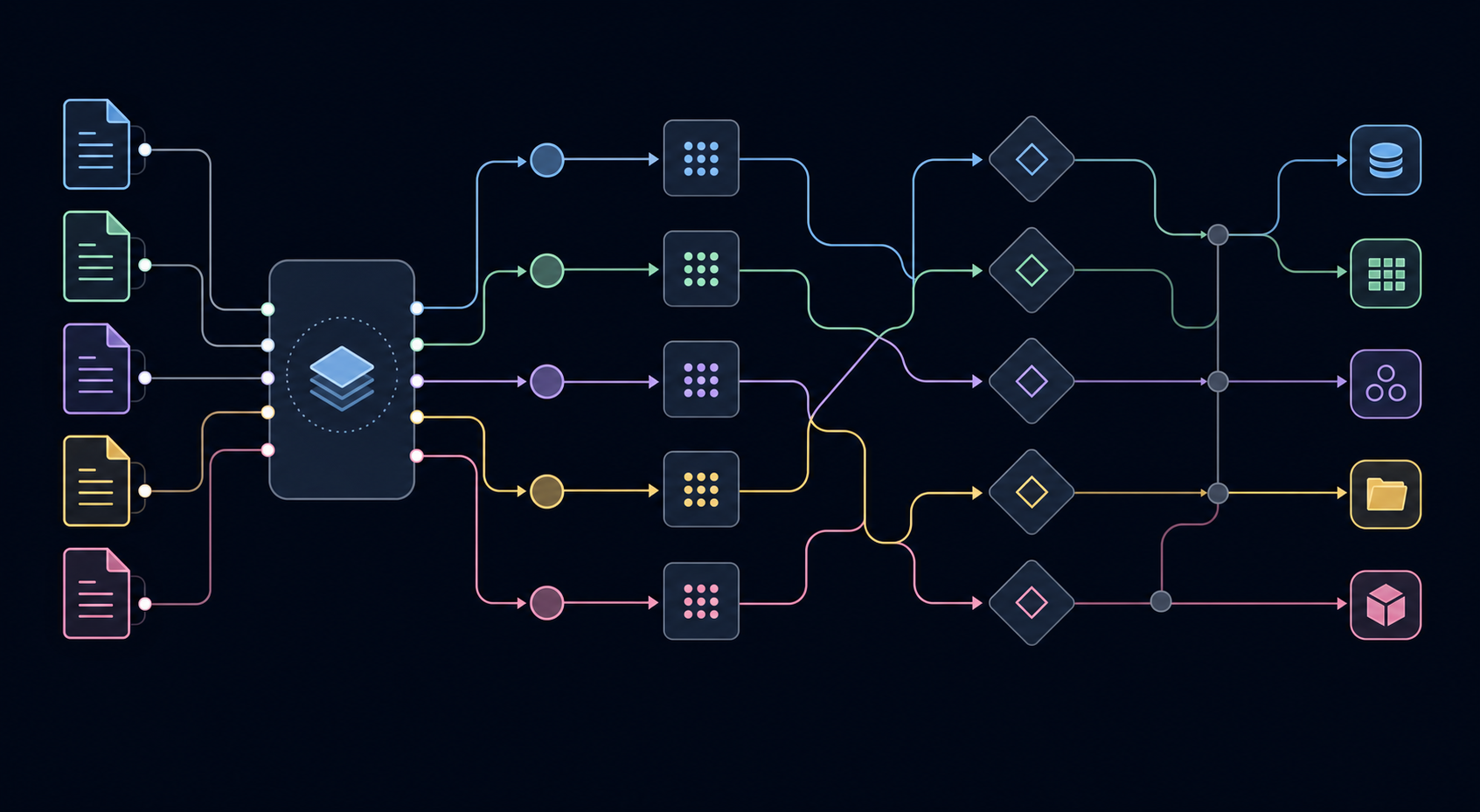
Five architectural patterns cover most document-processing agent deployments, each suited to a different level of workflow complexity.
| Pattern | When It Fits | Typical Document Context |
|---|---|---|
| Sequential chain | Fixed field order, predictable layout, single document type | Structured invoices, standard tax forms |
| Parallel fan-out | Independent extraction tasks that share no field dependencies | Multi-section loan packages, insurance submissions |
| Router/dispatcher | Variable document types arriving on the same ingestion pipeline | Mixed queues of W-2s, pay stubs, and bank statements |
| Retry with fallback | High-confidence threshold requirements with VLM escalation on failure | Handwritten medical forms, low-resolution scanned contracts |
| Human-in-the-loop | Confidence scores below threshold routed to reviewer before downstream write | Compliance-sensitive documents, complex real estate packages |
Sequential chains break when layout variation appears. Parallel fan-out cuts latency by running independent extractors concurrently. Router patterns handle unknown document types at ingestion time. Retry-with-fallback architectures pair a fast OCR pass with a VLM escalation path, so low-confidence fields get a second extraction attempt before any result reaches a downstream system.
Defining Tool Schemas for Document APIs
Tool schemas translate loosely described document APIs into structured contracts that agents reason over and invoke reliably. A schema that specifies vendor_name: string, invoice_total: number, line_items: array<{sku, qty, unit_price}>, and confidence_threshold: float tells the agent exactly what to pass, what to expect back, and when to route to human review. Three properties determine whether a schema performs in production. Field types must match the data contract downstream systems expect: returning total: string when an ERP requires total: number breaks on locale-formatted values like 1.234,56. Every schema carries a confidence score per field so agents branch correctly: high-confidence results route to automated processing, low-confidence results trigger human-in-the-loop review. Schemas declare what a tool returns when a field is absent, whether that is null, a sentinel value, or a structured error object, so agents escalate instead of hallucinating values.
Well-defined schemas also shrink retry surface. When field types, confidence thresholds, and absence behaviors are declared explicitly, the agent classifies failures correctly on the first pass and routes them to the right handler (transient errors to backoff logic, confidence failures to human review) instead of sending ambiguous outputs through generic retry loops.
Parallel Tool Execution for Multi-Page Documents
Sequential page processing collapses under volume. Parallel tool execution fans out extraction calls across pages simultaneously: the agent dispatches multiple tool calls in a single LLM turn, each targeting a discrete page range or document segment, then aggregates results after all calls return.
Fan-Out Pattern for Page Ranges
The agent receives a document, splits it into segments by page range, and issues concurrent extraction calls:
{ "tool_calls": [ { "tool": "extract_fields", "args": { "pages": "1-50", "schema": "loan_package" }}, { "tool": "extract_fields", "args": { "pages": "51-100", "schema": "loan_package" }}, { "tool": "extract_fields", "args": { "pages": "101-200", "schema": "loan_package" }} ] }
Results arrive out of order. The aggregation step merges by page offset, not arrival sequence, which is why response handling must track segment identity independently of call order.
Fan-out introduces a structural risk: fields that span segment boundaries get split across two separate tool calls. A borrower guaranty that starts on page 49 and resolves on page 52 appears incomplete in both the first and second call's output.
Extend resolves this by maintaining document-scoped context across segments so that cross-boundary field references merge correctly before the aggregation layer sees them, instead of surfacing as two partial extractions requiring manual reconciliation.
Error Handling and Retry Logic for Document Processing
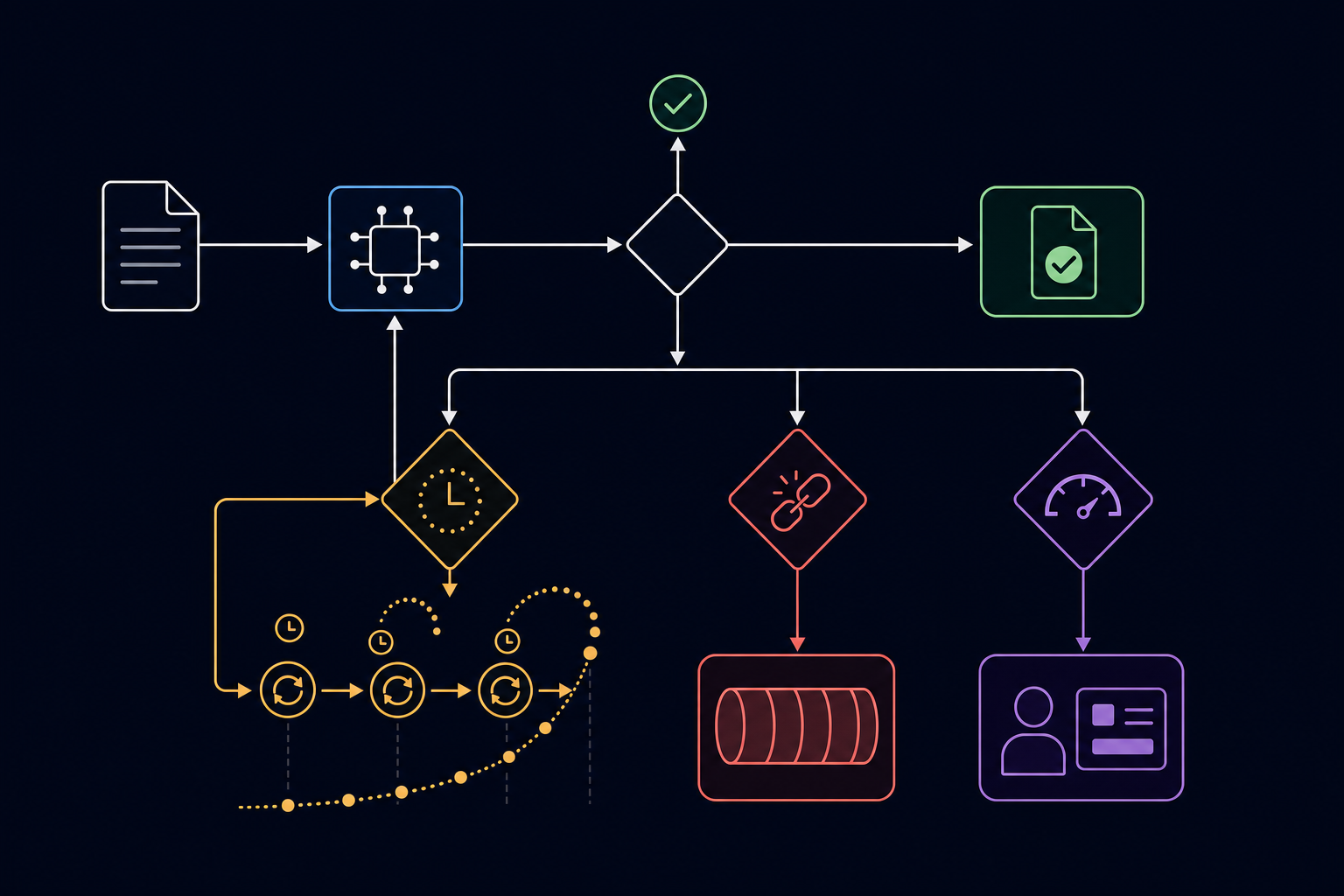
Document extraction failures in production rarely come from a single bad parse. They accumulate: a confidence score drops below threshold on a rotated scan, a retry fires without backoff and hammers a rate-limited API, a partial extraction writes incomplete fields to a downstream ERP, and a correction queue grows faster than any team can work it.
Resilient document-processing agents treat error handling as a first-class architectural concern, not an afterthought.
Classifying Failures Before Handling Them
Not all extraction errors warrant the same response. Teams that apply uniform retry logic to every failure type end up retrying unrecoverable errors and skipping transient ones.
- Transient failures: network timeouts, rate limits, and temporary API unavailability respond to exponential backoff with jitter. Retrying immediately compounds the problem.
- Structural failures: unsupported file format, zero-byte document, or password-protected PDF will not resolve on retry. Route these directly to a dead-letter queue with a diagnostic payload.
- Confidence failures: field extraction below a defined threshold requires human-in-the-loop routing, not retries. A second attempt on the same document produces the same low-confidence result.
Retry Patterns That Hold at Volume
Exponential backoff with jitter is the standard for transient failures. A fixed-delay retry under load synchronizes retry storms across concurrent agent threads, which is why jitter is non-optional in high-throughput pipelines. Retry with backoff patterns apply broadly across distributed systems facing transient errors.
import random, time def retry_with_backoff(fn, max_attempts=4, base_delay=1.0): for attempt in range(max_attempts): try: return fn() except TransientExtractionError as e: if attempt == max_attempts - 1: raise delay = base_delay * (2 ** attempt) + random.uniform(0, 1) time.sleep(delay)
Structural and confidence failures bypass this loop entirely. Routing logic checks failure class before any retry attempt fires.
Managing Tool Catalogs at Scale
As document-processing agents grow in scope, the number of tools they carry becomes a liability. An agent with 40+ registered tools spends measurable inference time selecting among them, and selection errors compound across multi-step pipelines where one wrong tool call poisons downstream extraction.
Grouping Tools by Document Domain
The most effective pattern separates tools into domain-specific catalogs instead of registering everything globally. A lending agent carries tools scoped to loan packages; a logistics agent carries tools scoped to bills of lading and PODs. This keeps the selection space tight and reduces misrouting at the routing layer.
Conditional Tool Loading
Teams running heterogeneous document workflows load tools conditionally based on document classification output. The classifier runs first, returns a document type, and the orchestration layer injects only the relevant tool subset before the extraction agent executes. This cuts tool selection overhead and keeps prompts within context limits on high-page-count documents.
Versioning tool schemas matters as much as grouping them. When a vendor changes an invoice layout, the extraction tool schema changes with it; agents pinned to stale schemas produce silent field mismatches that accumulate before any alert fires.
Security Patterns for Document Agent Tool Use
Document agents that call extraction, classification, and splitting tools introduce a distinct security surface. The tool invocation layer sits between an LLM reasoning about a document and the infrastructure processing it, which is why access control, input validation, and output scoping each require explicit architectural attention.
Scoped Credentials Per Tool
Each tool in the agent's registry carries its own credential. A shared credential across tools creates a blast radius where a single compromised invocation exposes unrelated systems. The extraction tool credential covers no splitting or classification endpoints; the splitting tool credential grants no write access to downstream ERPs. Credential scope maps directly to tool scope.
Input Validation Before Tool Invocation
Documents arriving through ingestion pipelines may contain adversarial content structured to manipulate tool behavior. Teams validate schema conformance and content boundaries before any document reaches a tool call. A zero-byte PDF, a password-protected file, or a page count that exceeds the schema's declared range all fail validation before the LLM sees them, keeping malformed inputs out of the reasoning context entirely.
Prompt Injection via Embedded Document Text
Embedded document text is a real prompt injection attack surface in LLM-driven agents. A contract containing instruction-formatted text in its body will be processed by the LLM if that content passes through the prompt context without sanitization. Teams strip or escape untrusted document text before it enters the reasoning layer, particularly for unstructured free-text fields like contract recitals or medical notes.
Output Field Scoping
Tool responses return only the fields the calling agent requested. Returning full extraction payloads when only a single field is needed exposes sensitive financial, medical, or legal data to downstream agent steps with no business justification for access. The tool schema's response contract declares exactly which fields return, and the orchestration layer enforces that contract before passing results to the next agent step.
How Extend Powers Document Agent Tool Calling
Extend exposes its Parse, Extraction, and Splitting APIs as discrete, callable interfaces that agents invoke as named tools within an orchestration loop. Each API returns structured JSON with confidence scores at the field level, so routing logic runs programmatically against extraction output instead of passing every document to manual review by default. Three patterns cover production agent architectures built on Extend:
- Parse API: converts raw PDFs, scanned images, and multi-page bundles into structured, LLM-ready JSON representations that agents consume directly without intermediate normalization. Parse 2.0 delivers measurably superior accuracy on complex documents, validated through the RealDoc-Bench benchmark with 0.847 Adjusted F1 on layout accuracy across 1,500 samples. Agents call this tool first, receiving a document-scoped output that downstream extraction and splitting tools operate against.
- Extraction API: pulls structured field schemas from unstructured document content. Agents invoke this tool with a field specification, and the API returns confidence-scored values that the agent routes conditionally: high-confidence results pass to downstream systems, low-confidence results trigger a human-in-the-loop review step. For how extraction APIs compare on accuracy and run completion, see 7 document extraction APIs ranked by accuracy.
- Splitting API: segments multi-document bundles into discrete logical units before extraction runs. Loan packages, insurance submissions, and medical record bundles arrive as single files containing multiple document types; agents call the splitting tool to isolate each before dispatching type-specific extraction calls.
Final Thoughts on Document Agent Tool Design
Document agents route better when tool schemas declare field types, confidence thresholds, and failure modes explicitly instead of returning untyped strings that break downstream parsing. These tool calling patterns map directly to production constraints: sequential chains when field order matters, parallel fan-out when pages process independently, retry-with-fallback when confidence scores drop below threshold. The extraction layer decides which fields warrant human review before any result reaches an ERP or approval engine. Get started with Extend to ship document API workflows with tool schemas built for variable layouts instead of fixed templates that reset on the first unseen format.
FAQ
Can I build document-processing agents without writing custom parsing code for each document type?
Yes. Extend's Parse API converts any document into structured, LLM-ready JSON that agents consume directly, handling 35+ file types through a single API call without requiring template configuration for format variations. The parsing layer routes pages through specialized vision models that handle layout variation automatically, which is why a single agent processes invoices, loan packages, and insurance submissions without separate code branches for each document type.
Tool calling patterns for parallel extraction vs sequential extraction?
Parallel fan-out cuts total processing latency by dispatching concurrent extraction calls across page ranges simultaneously; a 200-page loan package processes in the same wall-clock time as a single page instead of serially queuing each page. Sequential chains fit when field dependencies are strict and extraction order matters, but break first when layout variation appears across pages because they reset context per segment.
What's the difference between retry-with-fallback and direct VLM escalation for low-confidence fields?
Retry-with-fallback pairs a fast OCR pass with a VLM escalation path triggered when confidence scores drop below threshold, so low-confidence fields get a second extraction attempt through a heavier model before any result reaches downstream systems. Direct escalation routes low-confidence outputs to human review without attempting VLM correction, which fits compliance workflows where uncertain extractions require manual verification instead of automated reprocessing.
How do I route extraction results conditionally based on confidence scores?
Extend's extraction APIs return confidence scores at the field level in the response JSON; agents check these scores and branch on thresholds teams define: high-confidence results route to automated processing pipelines, low-confidence results trigger human-in-the-loop review queues. The routing logic lives in the orchestration layer after extraction completes, not inside the extraction tool itself, which is why a single extraction call feeds multiple downstream paths without requiring separate extraction requests per route.