Updated on August 27, 2026 to include Extend Light Parse results.
At Extend, we power the document infrastructure trusted by industry leaders to ship production agents. Over the past two quarters, we observed a sharp spike in parsing volume correlated with industry-specific failure modes across VLMs and existing commercial parsers.
Parsing is often the first step in a document workflow, so mistakes compound quickly. If a parser loses structure, misreads a checkbox, or associates a value with the wrong label, every downstream system inherits that error. That matters especially in critical industries, where documents are systems of record and accuracy is non-negotiable.
TLDR
RealDoc-Bench tests whether parsers preserve the structure agents need, not just whether they can extract text. Extend Performance Parse (Parse 2.0) leads on layout accuracy and document Q&A output accuracy.
Extend Performance Parse (Parse 2.0) leads on layout accuracy and document Q&A output accuracy.
Adjusted F1
Adjusted F1 across 1,500 annotated document samples.
| Rank | Parser | Adjusted F1 |
|---|---|---|
| 01 | Extend Performance Parse (Parse 2.0)#1 | 0.847 |
| 02 | Reducto | 0.759 |
| 03 | AWS Textract | 0.709 |
| 04 | Azure DI | 0.687 |
| 05 | PaddleOCR-VL | 0.684 |
| 06 | DotsOCR | 0.320 |
Q&A accuracy
Extend Light Parse reaches 90.5% per-field and 82.7% per-question accuracy across 1,356 prompts and 581 documents.
| Rank | Parser | Accuracy |
|---|---|---|
| 01 | Extend Performance Parse (Parse 2.0)#1 | 95.7% |
| 02 | LlamaParse (Agentic) | 92.1% |
| 03 | Reducto (Agentic) | 91.1% |
| 04 | Extend Light Parse | 90.5% |
| 05 | Gemini 3.5 Flash | 89.04% |
| 06 | AWS Textract | 70.5% |
Where existing benchmarks fall short
Existing parsing benchmarks often focus on clean PDFs, academic papers, and simple layouts. Production documents are harder because meaning lives in structure: which label belongs to which value, which checkbox was selected, which header applies to which row, and what order a human would read the page in. A parser can capture every word and still produce an unusable representation for an agent.


The dataset
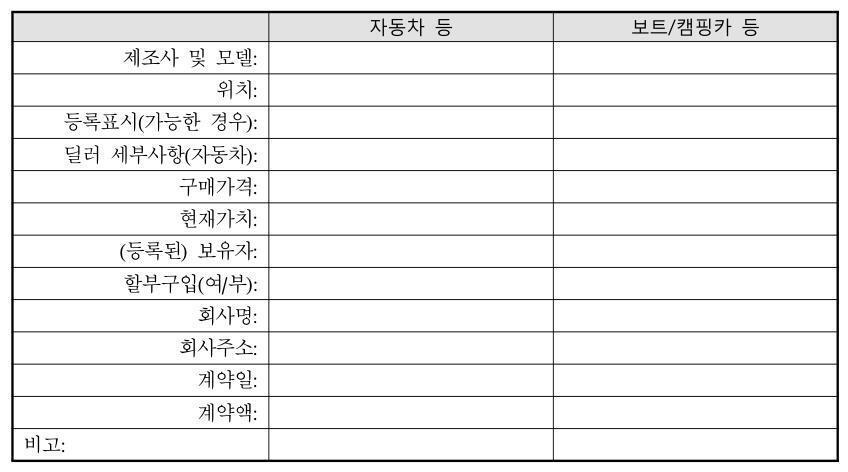
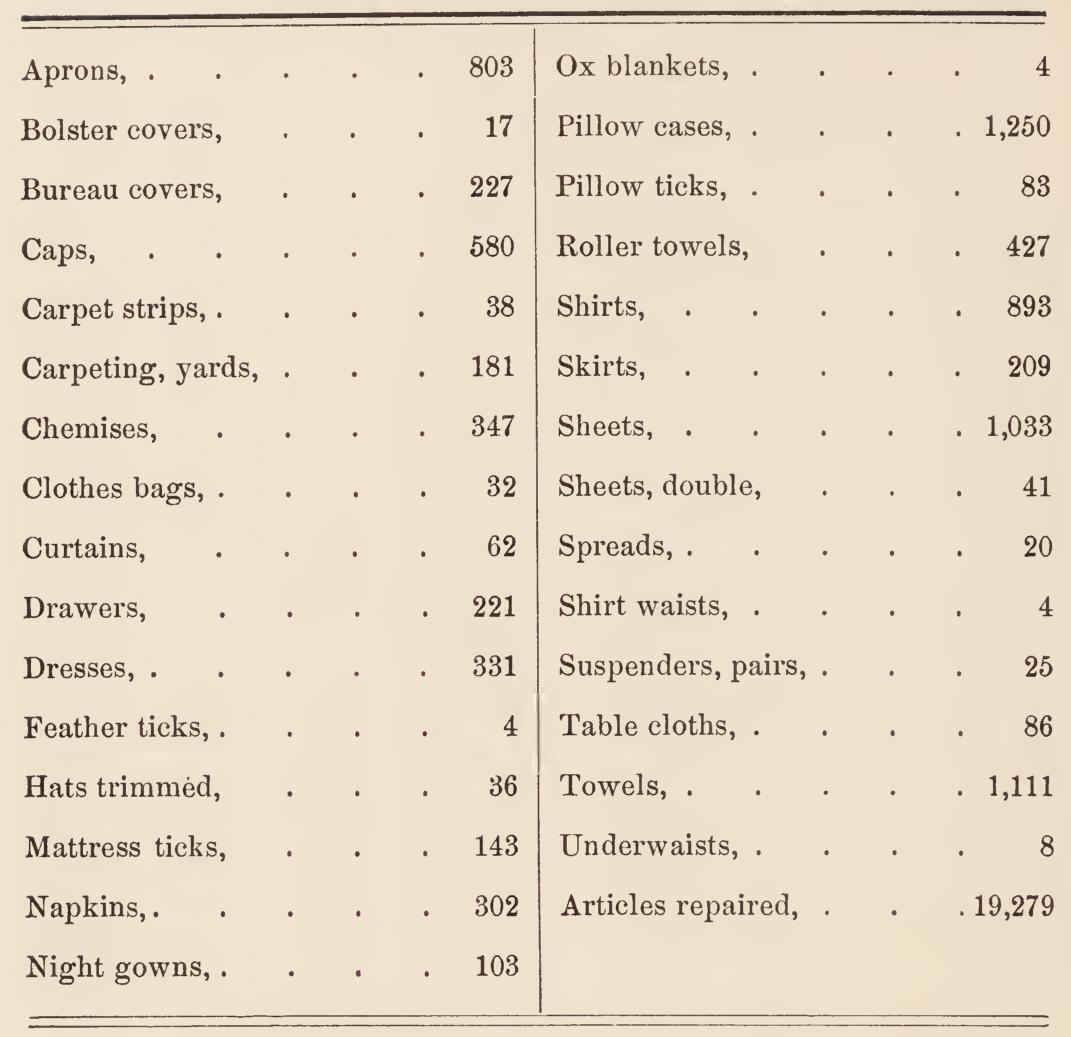
RealDoc-Bench uses documents that resemble what teams see in production. It currently focuses on four industries: logistics, healthcare, financial services, and real estate.
Dataset links:
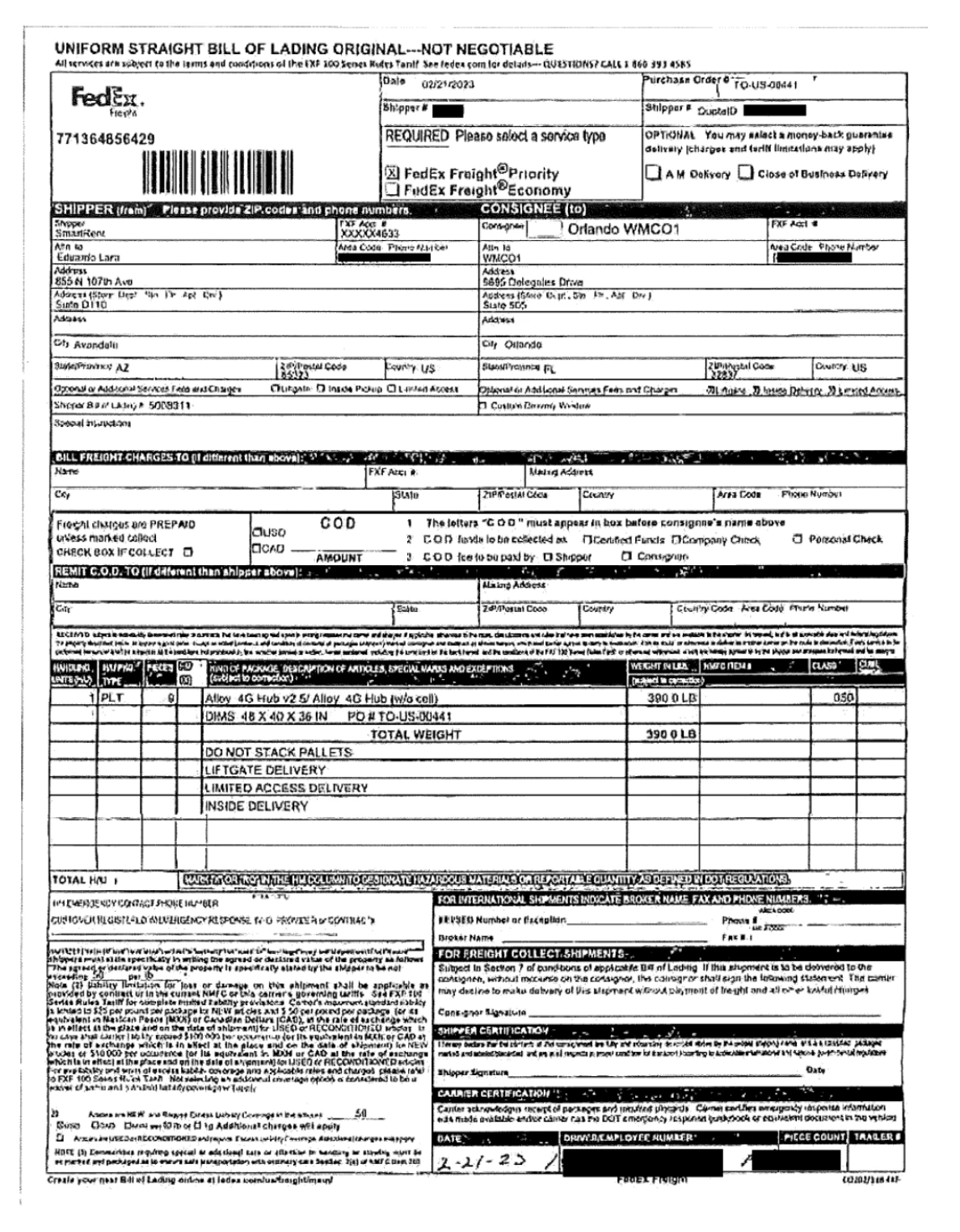
To simulate the mission-critical documents used in those industries, the dataset includes IRS forms, SEC reports, Federal Election Commission reports, mortgage loan documents, tax documents from different countries, patient intake forms, medical documents, logistics and supply chain documents, and other industry-specific formats.
The dataset preserves the components that make these industry-specific documents hard: dense forms, handwritten inputs, checkboxes, nested tables, and critical field relationships. Where documents could contain PII, we use synthetic field values while preserving document structure.
What RealDoc-Bench measures
RealDoc-Bench has two components:
- Layout accuracy
- Document Q&A
Layout accuracy measures whether a parser identifies the block regions on the page, such as forms, tables, charts, and key value areas. Document Q&A measures whether the parsed output lets an LLM answer verified questions correctly.
Together, these views separate two common failure modes. A parser can find the right text but lose the page structure. Or it can preserve the layout but produce markdown that is still hard for an agent to use.
Layout accuracy
Layout is how the system understands document structure. It can recognize things like forms, tables, charts, and key-value regions on a page.
For example, a dense medical intake form may place "cardiovascular" and "gastrointestinal" sections close together while checkbox rows continue across columns. The layout task is to preserve those regions and headings before any downstream model tries to read the page.
One of the challenges is segmentation. If you segment too much, you lose information. If you do not segment enough, it becomes difficult for models to individuate document components for specialized parsing. If you call a table a form, you may mess up the reading order. If you call a form region text, you may lose the relationships needed to interpret it. This shows up clearly in dense medical forms: a system may group content under arbitrary headings, where something visually near "cardiovascular" is actually related to gastrointestinal history. Once the layout is wrong, no matter how good your reading order model is, it cannot fully recover.
Document Q&A
Document Q&A is the core of RealDoc-Bench because Q&A is what agents actually do: reason over documents during ingestion and industry-specific workflows. For each provider, we parse the same document, pass the parsed output into the same model, and run manually verified, objectively answerable prompts.
This is affected by layout. If a dense medical form is segmented incorrectly, the reading order often breaks too: content can get grouped under the wrong heading, adjacent columns can be read in the wrong order, or a checkbox can get associated with the wrong label. The parsed markdown may look complete, but the agent still gets the answer wrong.
Methodology
RealDoc-Bench compares Extend against leading parsing providers, including LlamaParse, Reducto, Azure Document Intelligence, and AWS Textract.
To ensure fair comparison across layout models that often output different label sets, we remap the predicted labels to a set of canonical labels that are commonly supported. The only exception is the Key-Value region, which only a subset of models present.
For layout scoring, we use human annotations, consensus review, and overlap-based evaluation. Predicted boxes are compared against ground truth using intersection-over-union thresholds. From there, we calculate precision, recall, and F1: how accurate the model is when it predicts something, how much it misses, and the combined score across both.
For Q&A, we use a Gemini-based LLM to extract the answers to a fixed set of prompts from parsed markdown. To prevent confounding variables, we keep the system prompt and answer format the same, while only changing the parsed outputs between providers. We try to use the default settings in all cases, with the exception of allowing advanced chart handling, figure parsing, and signature handling to allow for fair comparisons with the Extend parser. In addition, we also turn on any advanced agentic options that competing parsers provide for the "agentic" modes.
To avoid noise from LLM inference, each prompt has an objective answer. Given the correct representation of the document, the model should respond correctly. For example: is this entity an LLC or a corporation? If the selected checkbox is represented correctly, the LLM should be able to answer.
Where providers offer agentic and non-agentic modes, we report those separately. This matters because some modes are much slower or more expensive. Accuracy matters, but so do cost, latency, reliability, and timeouts when teams are building production systems.
What we found
Layout accuracy
Layout scoring evaluates whether predicted regions line up with human-labeled forms, tables, key-value areas, charts, and text blocks across 1,500 samples.
Adjusted F1
Adjusted F1 across 1,500 annotated document samples.
| Rank | Parser | Adjusted F1 |
|---|---|---|
| 01 | Extend Performance Parse (Parse 2.0)#1 | 0.847 |
| 02 | Reducto | 0.759 |
| 03 | AWS Textract | 0.709 |
| 04 | Azure DI | 0.687 |
| 05 | PaddleOCR-VL | 0.684 |
| 06 | DotsOCR | 0.320 |
Document Q&A accuracy
RealDoc-Bench includes 1,356 prompts across 581 documents. For Q&A, we report field-level accuracy: each expected value is scored independently, so a prompt that asks for five values contributes five scored fields.
Document Q&A
Per-field accuracy across 1,356 prompts
| Rank | Parser | Accuracy |
|---|---|---|
| 01 | Extend Performance Parse (Parse 2.0)#1 | 95.7% |
| 02 | LlamaParse (Agentic) | 92.1% |
| 03 | Reducto (Agentic) | 91.1% |
| 04 | Extend Light Parse | 90.5% |
| 05 | Gemini 3.5 Flash | 89.04% |
| 06 | LlamaParse | 89.0% |
| 07 | Azure DI | 88.8% |
| 08 | Reducto | 88.5% |
| 09 | AWS Textract | 70.5% |
Industry-specific slices
Select a vertical to see the same value-level metric restricted to that industry.
Financial services
380 prompts - finance documents
| Rank | Parser | Accuracy |
|---|---|---|
| 01 | Extend Performance Parse (Parse 2.0)#1 | 92.5% |
| 02 | Extend Light Parse | 87.6% |
| 03 | Reducto (Agentic) | 85.7% |
| 04 | LlamaParse (Agentic) | 85.5% |
| 05 | Reducto | 83.8% |
| 06 | Gemini 3.5 Flash | 83.4% |
| 07 | LlamaParse | 83.0% |
| 08 | Azure DI | 82.6% |
| 09 | AWS Textract | 68.2% |
Complete tableView all industry slices
All Document Q&A slices
The side-by-side examples below show how those aggregate scores translate into downstream answers. Each case uses the same document, prompt, and verified answer across parser outputs.
Select a case to compare whether each parsed output let the answering model return the verified value.
On simple documents, all providers perform decently. Easy forms and text-heavy documents show much less variance across providers; as long as the text is there, most systems do reasonably well.
The gap appears in denser structured regions: dense forms with lots of checkboxes are where Extend performs especially well. These documents show up in healthcare, mortgage, insurance, and financial services, anywhere there is human input and people have to make choices.
That is where reading order and grouping start to matter. Parsers can merge adjacent information, associate a checkbox with the wrong key, or stream everything next to a key into a single value instead of measuring how much text is actually associated with that key. Table-form confusion is another hard case: some documents look like tables but behave like forms, while others look like forms but contain table structures. If you parse the region with the wrong strategy, the output may look plausible but become much harder for an agent to use.
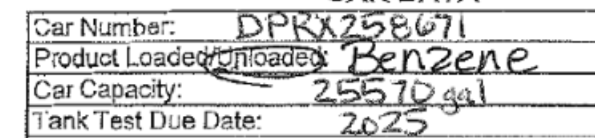
Example
The railcar example below is a small version of the same failure mode. The text is visible, but the useful output depends on isolating the field, reading the handwriting, and attaching the value to the correct label.
Cost and latency: Extend Performance Parse on the Pareto frontier
The same benchmark also shows why accuracy cannot be evaluated separately from production constraints. A parser also needs to be cost-effective and fast enough for production workflows.
Benchmark context
RealDoc-Bench evaluates whether an agent can answer questions correctly from parser output across real-world mortgage, finance, supply chain, and healthcare documents.
Evaluation methodology
Accuracy is measured at the individual field level. Cost reflects the estimated parser price per page on the full benchmark. Both axes use standard linear scales.
| Parser | Accuracy | Cost/page |
|---|---|---|
| Extend Performance Parse | 95.7% | $0.020 |
| LlamaParse (Agentic) | 92.1% | $0.0125 |
| Reducto (agentic) | 91.1% | $0.060 |
| Extend Light Parse | 90.5% | $0.00625 |
| Gemini 3.5 Flash | 89.04% | $0.0113 |
| LlamaParse | 89.0% | $0.00375 |
| Azure DI | 88.8% | $0.010 |
| Reducto | 88.5% | $0.020 |
| AWS Textract | 70.5% | $0.015 |
Benchmark context
RealDoc-Bench evaluates whether an agent can answer questions correctly from parser output across real-world mortgage, finance, supply chain, and healthcare documents.
Evaluation methodology
Accuracy is measured at the individual field level. Latency reflects measured parser time per page on the full benchmark. Both axes use standard linear scales.
| Parser | Accuracy | Latency/page |
|---|---|---|
| Extend Performance Parse | 95.7% | 19.67s |
| LlamaParse (Agentic) | 92.1% | 30.20s |
| Reducto (agentic) | 91.1% | 13s |
| LlamaParse | 89.0% | 32.45s |
| Azure DI | 88.8% | 5.46s |
| Reducto | 88.5% | 9.57s |
| AWS Textract | 70.5% | 6.63s |
This is something we're actively working on. Dense forms, table-form hybrids, separated headers, and large documents are still challenging across providers. RealDoc-Bench is an early snapshot of where parsing systems perform well today, and where the next set of improvements need to happen.
Resources
Use these resources to inspect the benchmark, reproduce a run, or test Extend Performance Parse (Parse 2.0) on your own documents.
- arXiv paper: arXiv:2606.07401
- Github source code: extend-hq/realdoc-bench
- Hugging Face - layout dataset: Extend-AI/RealDoc-Bench-Layout
- Hugging Face - document Q&A dataset: Extend-AI/RealDoc-Bench
- Playground: Try Performance Parse
- See all Extend benchmarks: Extend benchmarks