TLDR: Extend Workflows coordinates parsing, splitting, multi-file extraction, validation, human review, and deployment in one production document pipeline. Teams can build workflows in natural language with Composer or manage the same workflow as JSON or YAML through the Extend GitHub App and CI/CD.
This update gives humans and coding agents two purpose-built interfaces to the same production pipeline: humans can build and edit in natural language, while agents read, modify, validate, and deploy the workflow as code.
Specifically, the latest update includes:
- Composer support to build entire document workflows in natural language
- Multi-file extraction to return one reconciled, context-aware answer across a full document packet
- Validation & routing logic now supports code and semantic mode, replacing our previous custom expression language
- Machine-readable JSON or YAML definitions and a GitHub app that lets coding agents manage workflow changes through pull requests and CI/CD
Production documents rarely arrive as one neat PDF. For example, a mortgage underwriting package comes with a loan application, pay stubs, W-2s, bank statements, and supporting files.
Running that package in production means parsing and splitting it → routing each document to the right extractor → comparing values across files → sending exceptions to review → deploying every change without breaking the live pipeline. Then, when a document format or validation rule changes, the workflow has to change with it.
Many of our customers build these pipelines by chaining together our individual APIs for parsing, splitting, extraction and more. While our APIs are flexible enough to support highly customized document pipelines, coordinating the routing, validation, and deployment introduces an orchestration that not every team wants to own.
This multi-step coordination is why Extend Workflows exists. It brings every document-processing step into one production pipeline that teams, and their agents, can visualize, manage, and change.
Workflows is one of the most popular features on Extend, executing 100M+ runs, and supporting companies like Opendoor, Mercury, and Zillow. This update shortens the path from document packet to production and makes the workflow easier to update once it is live.
Build & edit workflows in natural language with Composer
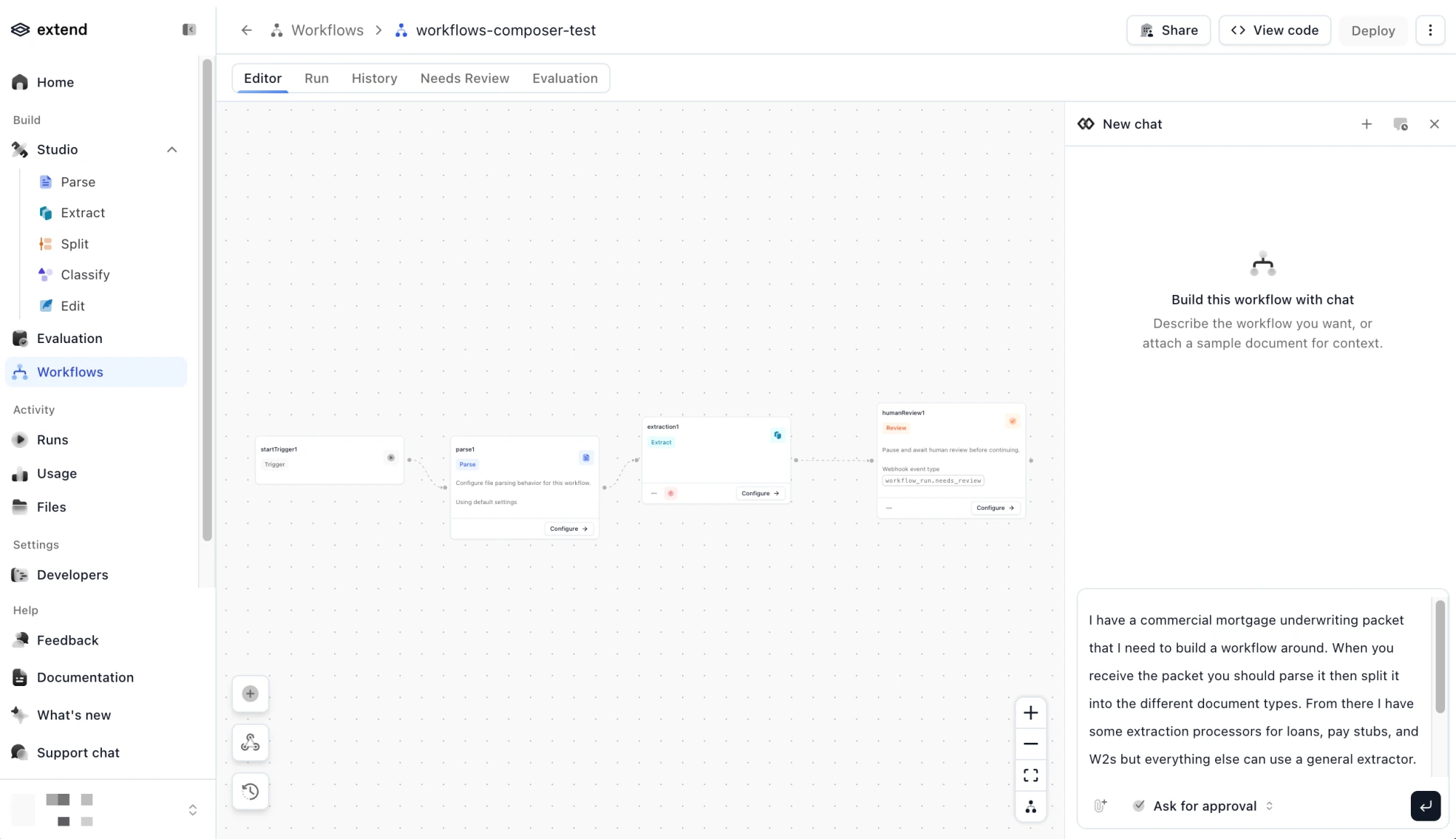
Composer is now available in Workflows so you can build and modify workflows using semantic language.
This solves the blank canvas problem. For example, if you want to process an underwriting package, you can simply describe your request: Parse the uploaded packet, split it by document type, extract the loan application, pay stubs, W-2s, and bank statements, validate the combined results, and send any invalid package to human review.
Composer then translates the instruction into deterministic workflow steps and connections. You can review the proposal, ask for changes or clarification, and implement them automatically.
This not only makes it easier for engineers but also unlocks the ability for operations and product teams to express the business process directly without worrying about translating it into technical specifications. Engineers can still inspect and control the underlying workflow logic.
Every document workflow is agent-ready
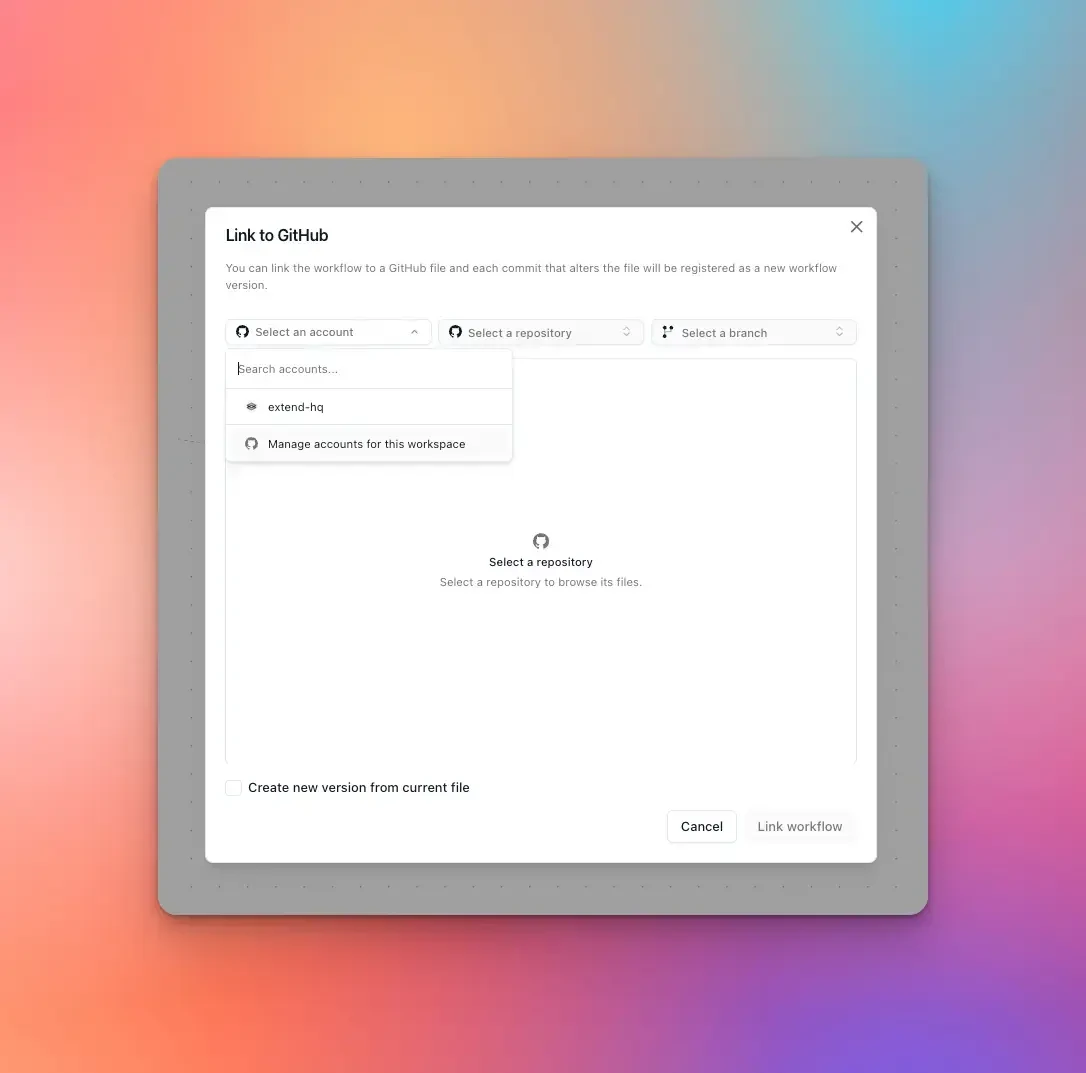
Agents are now embedded into software development. To deliver better agent ergonomics, every document workflow can be created via or exported into JSON or YAML definitions. Coding agents can inspect and modify workflow steps, routes, validations, and inline processor configurations alongside the rest of your codebase.
Then, with our new Extend GitHub App, you can connect those definitions to a repo and run workflow changes through CI/CD. A coding agent can update a workflow file in a pull request, and Extend validates the proposed definition before it is deployed. When the linked branch changes, Extend validates the file again and deploys a new workflow version.
Humans can continue working through Composer and the visual canvas while giving agents the ability to manage workflows as code and work through the repository. Both interfaces operate on the same document workflows for faster time to prod.
Validation logic now supports code or semantic rules
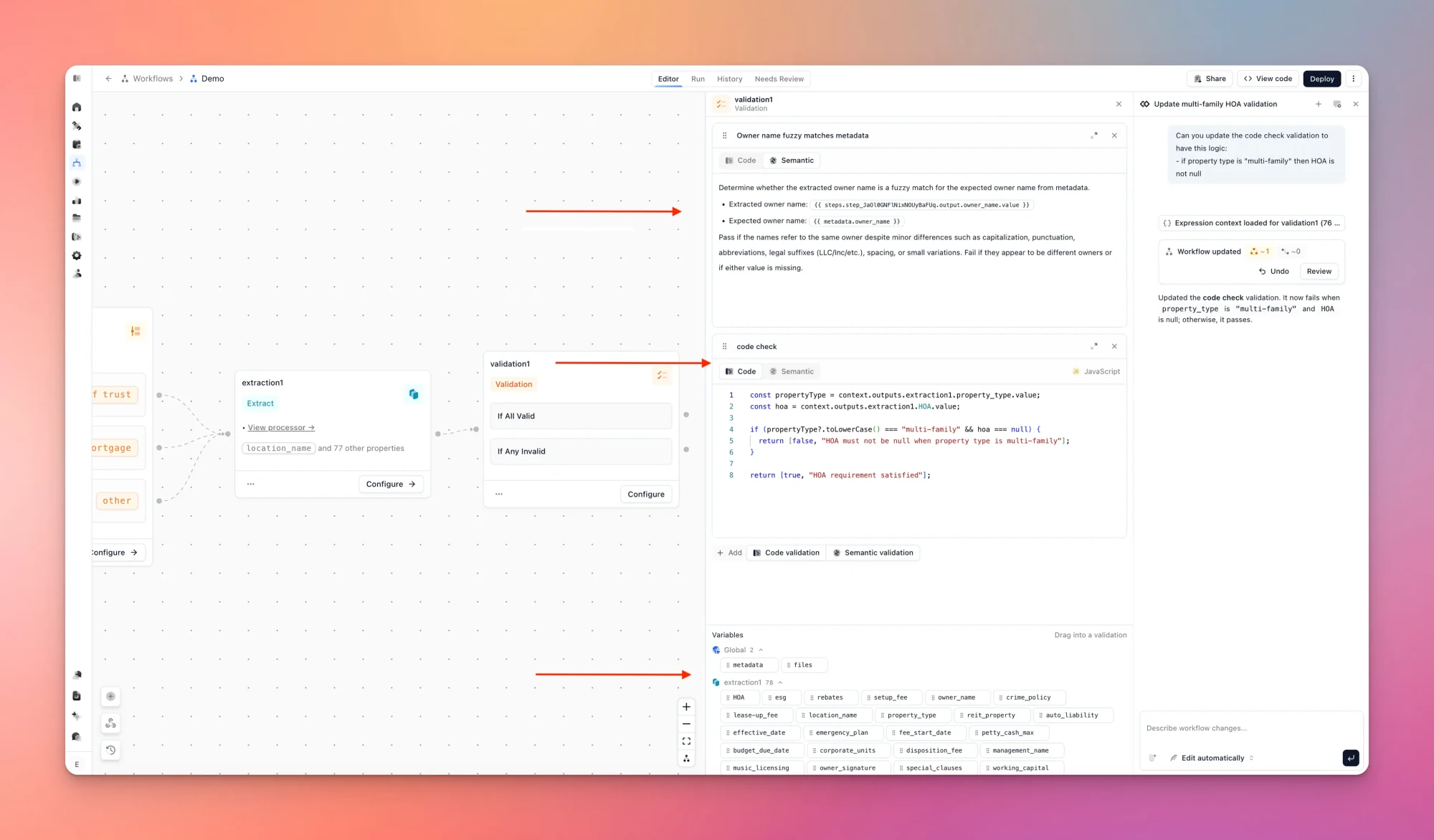
Production document workflows need a set of guardrails after extraction. Our latest Workflows update replaces the custom expression language with two new validation modes:
- Code validation for required fields, formats, dates, totals, and exact comparisons
- Semantic validation for consistency, plausibility, and other checks that require interpretation
Code validation runs JavaScript against read-only outputs from earlier steps. For example, reconcile a bank statement with deterministic arithmetic:
const difference = Math.abs(
  beginningBalance + deposits - withdrawals - endingBalance
);

return [
  difference <= 1,
  `Statement does not reconcile; difference is ${difference.toFixed(2)}`
];
Semantic validation handles rules based on meaning rather than exact string matches, such as comparing identities while allowing differences in punctuation, abbreviations, and name formatting.
On Studio, you can simply drag outputs from supported upstream steps into a validation, or ask Composer to build the check from a plain-language rule.
Multi-file extraction returns one, context-aware answer
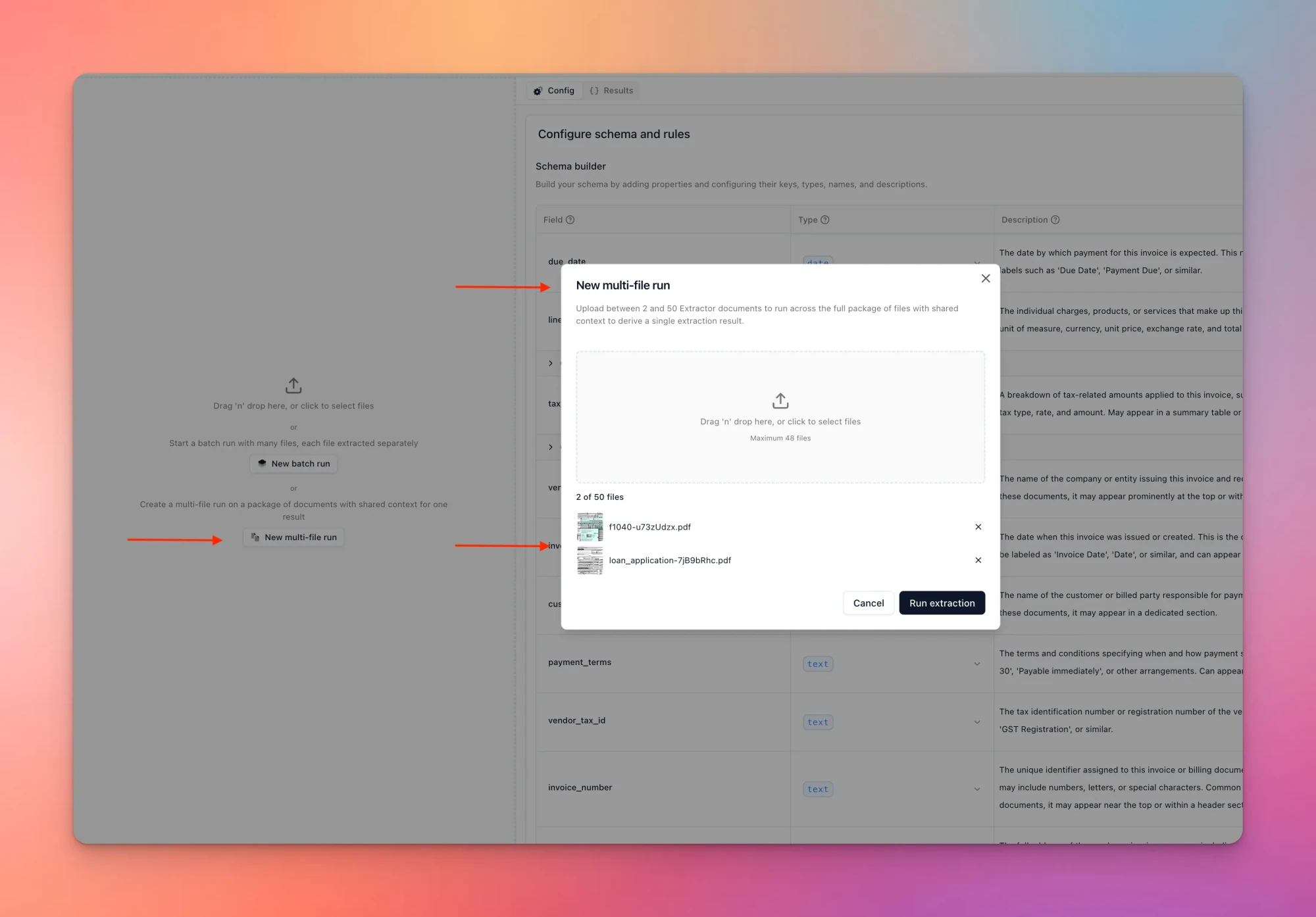
Related files often contain overlapping or conflicting information. Multi-file extraction processes the full set as shared context and returns one reconciled output according to your schema.
For example, an amendment may supersede a value in the original contract, or borrower information may appear across a loan application, pay stubs, W-2s, and bank statements. Extend reasons across those files to return the best-supported answer, with citations back to the source.
Multi-file extraction is available inside Workflows and directly through extraction processors. A processor can accept up to 50 related files as one package and return one combined output.
Getting started
Build a document workflow in Extend Studio using Composer, or start with the documentation:
- Configure workflow steps and routing
- Build code and semantic validations
- Run multifile extraction
- Connect a workflow to GitHub
FAQs
When should I use Workflows instead of calling individual Extend APIs?
Use Workflows when you want Extend to handle document routing, multi-step processing, validation, exception review, and deployment as a single system. Call Parse, Split, Extract, or other processor APIs directly when your team wants to own orchestration in your application. Both approaches can coexist. Many teams use Workflows for some use cases and call the Parse, Split, and Extract APIs directly for others.
What is the difference between multifile extraction and batch extraction?
Multifile extraction treats up to 50 related files as a single corpus and returns one combined output. Batch extraction runs independent extraction jobs and returns one output per file. To run documents in multifile mode, just submit the files via our package input param.
Can coding agents manage Extend workflows?
Yes. Workflows can be exported as JSON or YAML or connected to a repository with the Extend GitHub App. Coding agents can inspect and modify the definitions, while Extend validates pull requests and deploys new versions when the linked branch changes.