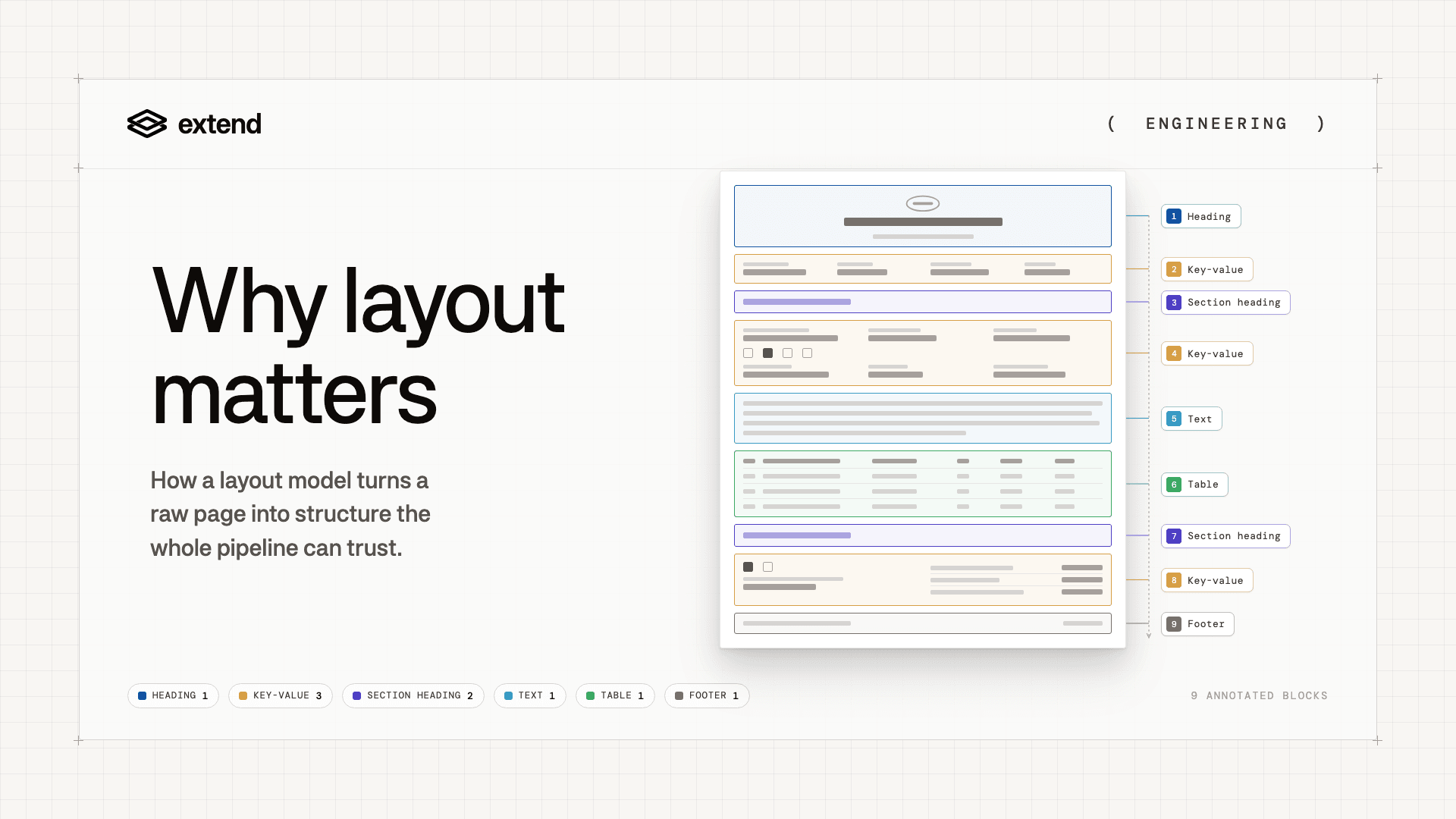
Our team recently shipped Parse 2.0, the next evolution of our document parsing API, reaching SOTA for end-to-end agent success on document Q&A. One of the biggest step changes was rebuilding the underlying layout model from the ground up.
We did it because layout is critical to parsing accuracy, closing the distance to deterministic document pipelines, and dictating appropriate downstream model routing.
Here's how we built our new layout model and what it enables for AI and ML teams.
What is layout detection?
Layout detection is how a system visually segments the regions, or "blocks," of a document: identifying, classifying, and drawing bounding boxes for each region.
A layout model provides the canonical definition for a document's structure and reading order for how each block should be sequenced to match the way a human would read the document. Both matter because documents are visual interfaces, which is to say meaning lives in proximity, grouping, and hierarchy. For example, the string "$4,820" means nothing by itself. But it becomes useful when you know it represents the total premium field inside a specific section of an insurance form.
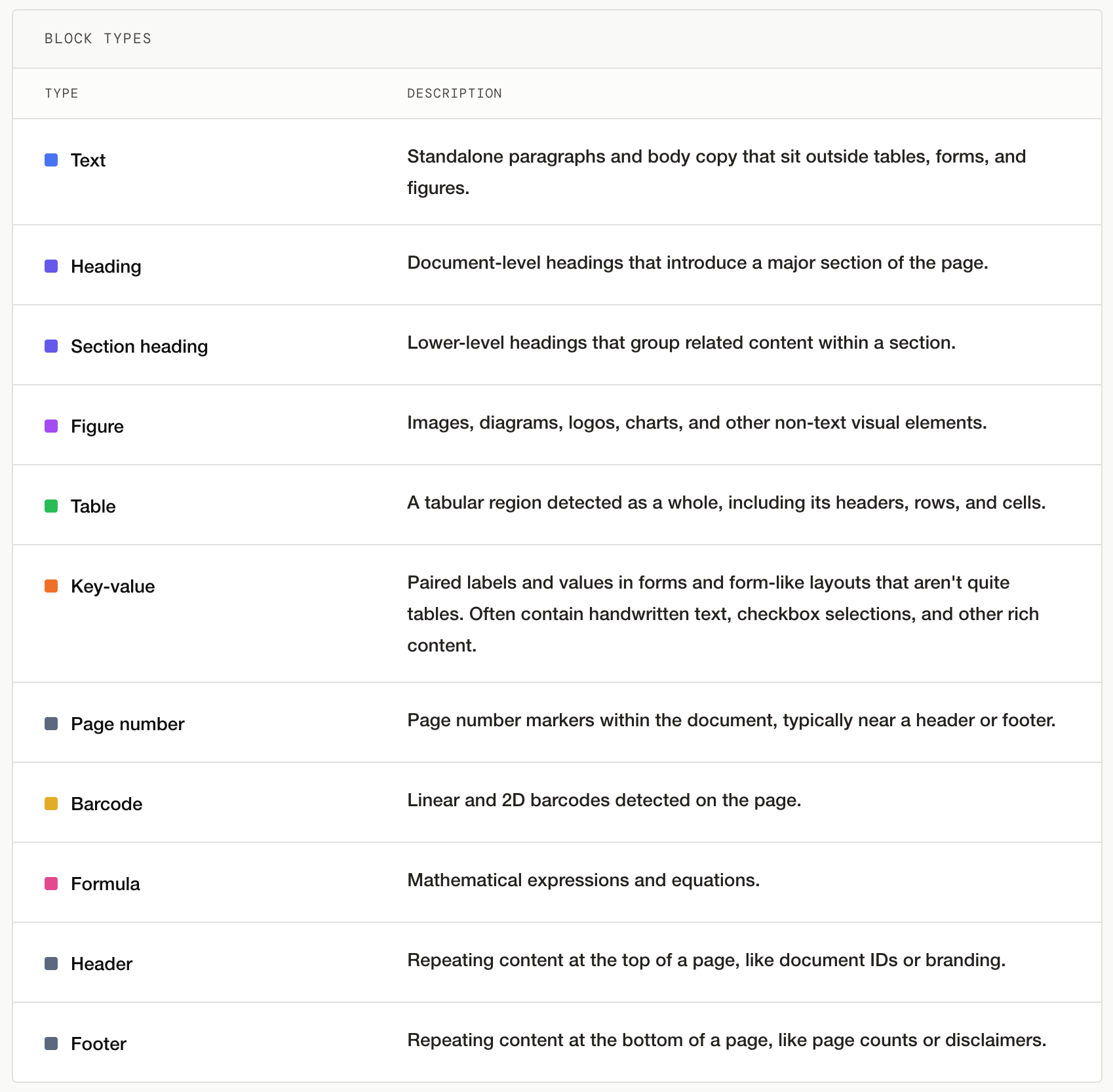
Our layout model detects the following block types:
What does a strong layout model make possible for AI teams?
If you build agents or workflows on top of documents, it is tempting to spend most of your time tuning prompts, swapping models, or adding retrieval logic. Unfortunately, these actions don't matter if the parsed output has already lost its semantic structure.
No prompt can reliably reconstruct a flattened table. No extraction schema can safely bind a repeated label to the right value if the parser flattened the grid. No agent can reason over 12 months of forecasts if the parser only gave it 10.
Aside from saving you time by avoiding those tempting pitfalls, here's what a strong layout model enables for builders.
Parsing accuracy
Most parsing failures can be traced back to layout failures. The reverse is also true: if you get layout and reading order right, most parsing failures can be mitigated.
Some common examples of layout decisions that impact accuracy:
- Column interweaving. Poor reading order results in a two-column insurance policy getting read left to right across both columns instead of down the first column and then down the second. Every word is correct, but every other sentence comes from alternate sections.
- Form-field scrambling. A dense medical or insurance form repeats labels like "Deductible," "Limit," "Premium," or "Authorization" across a grid. Without a layout model that specifically recognizes key-value regions, the parsed output loses the spatial relationship between value and label.
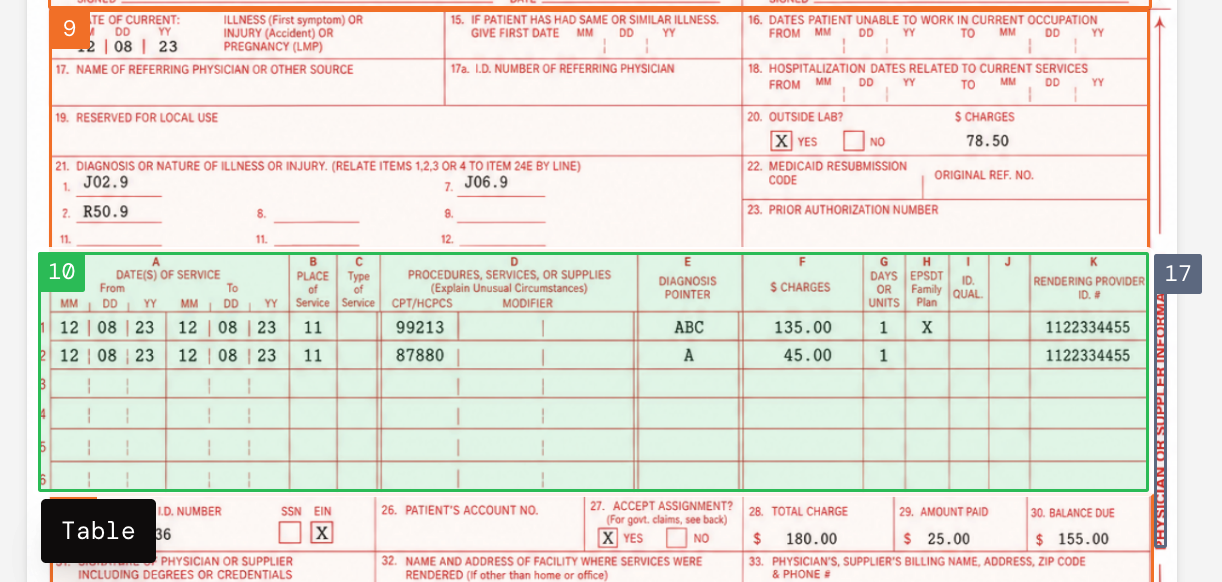
- Table and form confusion. In a CMS 1500 claim, the vertical lines literally line up across different document sections, but treating a key-value region (labeled 9, in orange) as a table would be a mistake because it bears no row and column relationships. Even if two regions appear similar, the nuance of recognizing tables versus a form with key-value pairs leads to poorly parsed outputs.
When you get layout and reading order right, parsing accuracy improves. You can see the impact of our new layout model in RealDoc-Bench, which evaluates layout accuracy and document Q&A success rates.
More deterministic document pipelines
A misconception about layout models is that they only exist to improve accuracy. Another subtler but no less important benefit is improving consistency and driving near-deterministic behavior to reduce variance in document pipelines.
The anti-pattern is sending a document wholesale to a VLM and asking it to parse everything in one shot. This gives the model a lot of latitude to decide what matters on every run. It might work in prototypes with simple documents. It becomes harder to trust in production, especially when the page has multiple diagrams, tables, forms, signatures, and checkboxes.
A strong layout model gives us high-confidence routing for each element to fine-tuned, specialized models downstream.
For example, in construction documents, a single page might contain multiple diagrams, checkboxes, signatures, tables, forms, stamps, and barcodes (yes, they're gnarly and we love them). With layout detection, every diagram, table, form, and figure can be routed to specialized OCR or VLMs trained to parse that specific component.
By first structuring around a layout model, we drive towards more deterministic block type processing that is consistent across every run, rather than leaving it up to chance that a VLM will make the correct decisions every time.
More flexible configuration tuning for accuracy, cost, and latency
As we mentioned above, strong layout detection enables block-level routing to specialized downstream models. In addition to delivering higher performance, a multi-model approach also allows AI teams to better control the three dimensions of accuracy, cost, and latency.
A straightforward text-only paragraph should not incur the same cost as messy handwriting. A figure that doesn't need to be parsed for a specific use case does not need to be routed to a specialized VLM.
Once the layout model segments the pages into blocks, it also unlocks choice for our customers. Instead of a monolithic parsing step, AI teams can make granular decisions around which block types require higher accuracy and which ones they'd rather optimize for lower latency or cost.
Conclusion
Our new layout model is only one part of the foundational updates that went into Parse 2.0. Parse 2.0 delivers an adjusted F1 score of 0.847 for layout accuracy and 95.7% for Q&A accuracy.
For more information on layout model performance, check out our open source parsing benchmark RealDoc-Bench.
If you're trying to improve performance of your agents, search, and automations, try Parse 2.0 today: https://dashboard.extend.ai/