Q4 was the busiest quarter in Extend’s history as we continue to build out the most powerful document processing APIs for developers to build incredible products.
If you haven’t used Extend recently, or tried us yet, you’ll feel our commitment to building the best document processing solution in every product update, in the speed and responsiveness of our support team, and in how quickly customer feedback turns into shipped improvements.
Without further ado, here’s a round-up of everything we shipped this quarter, including 4 major product updates and a swarm of new features:
1. Edit - A Single API to Fill Any Form, Programmatically

Introducing Edit, a single API to fill any form, programmatically—whether you're working with a known template you'll use thousands of times or a document you've never seen before. It’s ideal for automatically filling out PDF forms, pre-populating documents with customer data, and generating filled documents at scale.
Edit supports two distinct approaches, each designed for different use cases.
Template-based filling is for forms you know ahead of time: tax documents, disclosure forms, standard contracts, compliance paperwork. These are forms with predictable structures that you'll fill repeatedly with different data.
Instruction-based filling is for scenarios where you don't know the form structure ahead of time. Maybe you're building an AI agent that needs to complete forms as part of a larger workflow. Maybe you're handling documents from many different sources and can't pre-configure templates for each one.
Under the hood, Edit combines hybrid object detection models with vision-language models to understand document layouts visually. It can identify text fields, checkboxes, radio buttons, tables, and signature blocks. It understands where form elements are positioned on the page and how they relate to labels and surrounding content. This visual understanding is what allows Edit to work with arbitrary PDFs, not just forms with embedded field metadata.
2. Agentic OCR - VLM-based OCR correction system
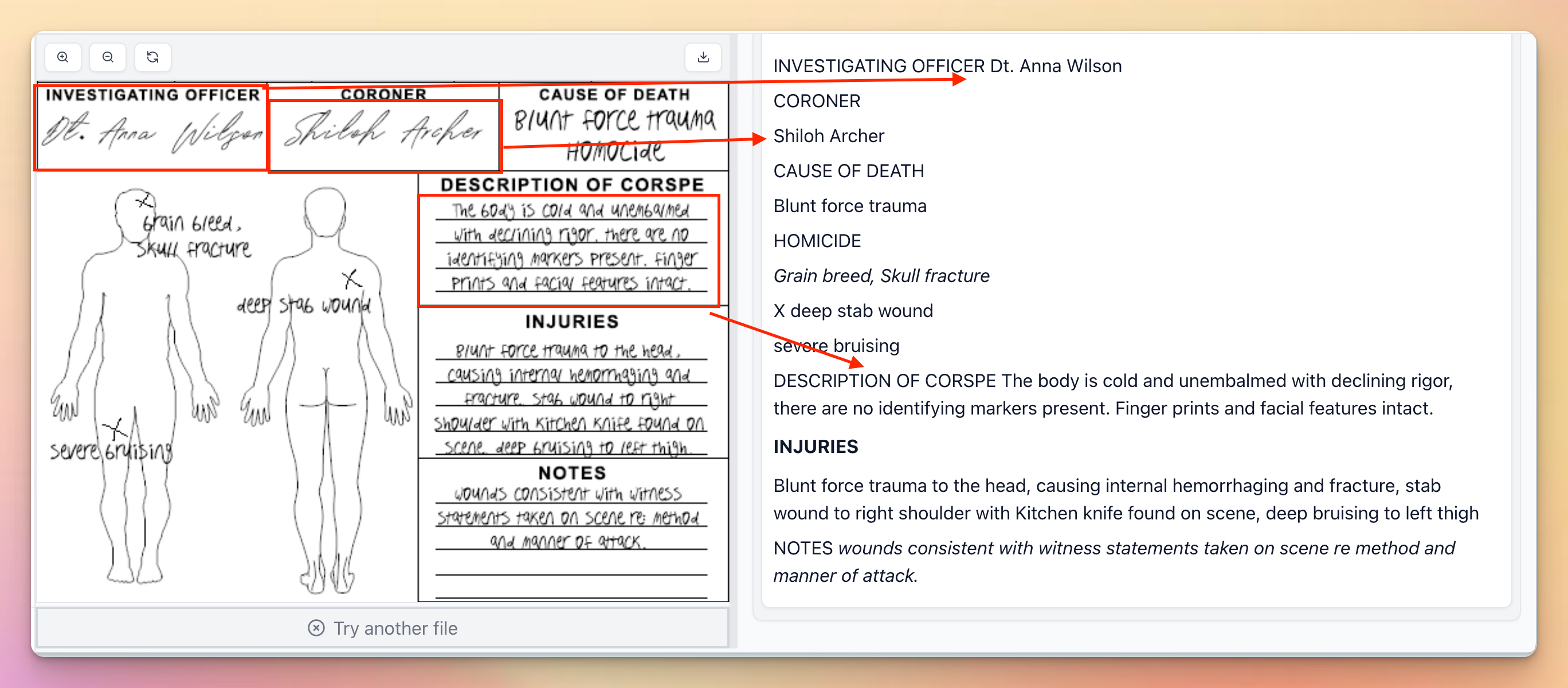
Our VLM-based OCR correction system dramatically improves accuracy on challenging documents. Parsed OCR blocks are automatically reviewed by a foundation model, which identifies and corrects OCR errors in messy handwriting. Agentic OCR gives you OCR consistency/speed and VLM-based parsing accuracy for difficult handwriting and scans that SOTA OCR often misses.
This feature is especially powerful for:
- Handwritten forms and notes
- Historical documents or faded text
- Documents with stamps, annotations, or overlapping text
3. Agentic Confidence Scoring - Detect and score issues in extraction
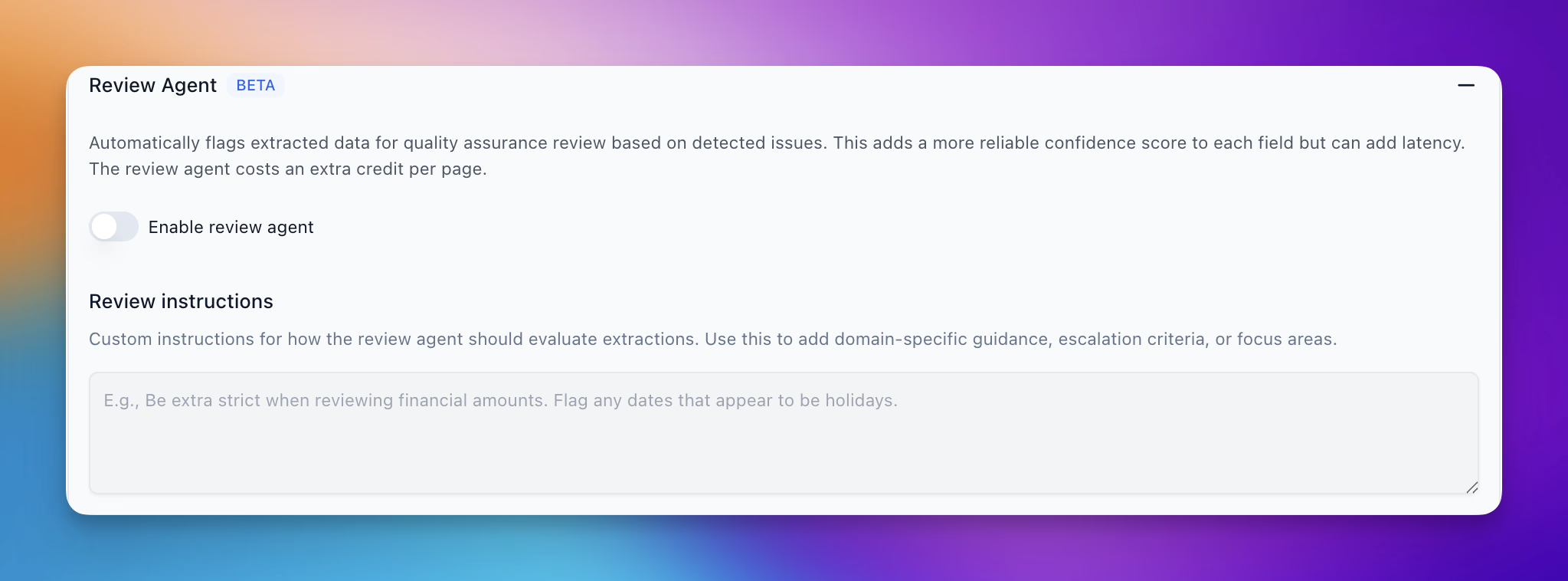
Review Agent automatically detects and scores issues in extraction by reviewing extractions with a critical lens. It flags potential problems such as rule following, ambiguous responses, incorrect extractions, and more, on a confidence scoring of 1-5. The agent is driven by an ensemble of different metrics to provide a reliable measure of extracted data confidence.
Review agent can also be instructed with user-defined rules to help steer quality assurance towards specific kinds of flags.
4. Memory - Learn from previous corrections and adapt automatically
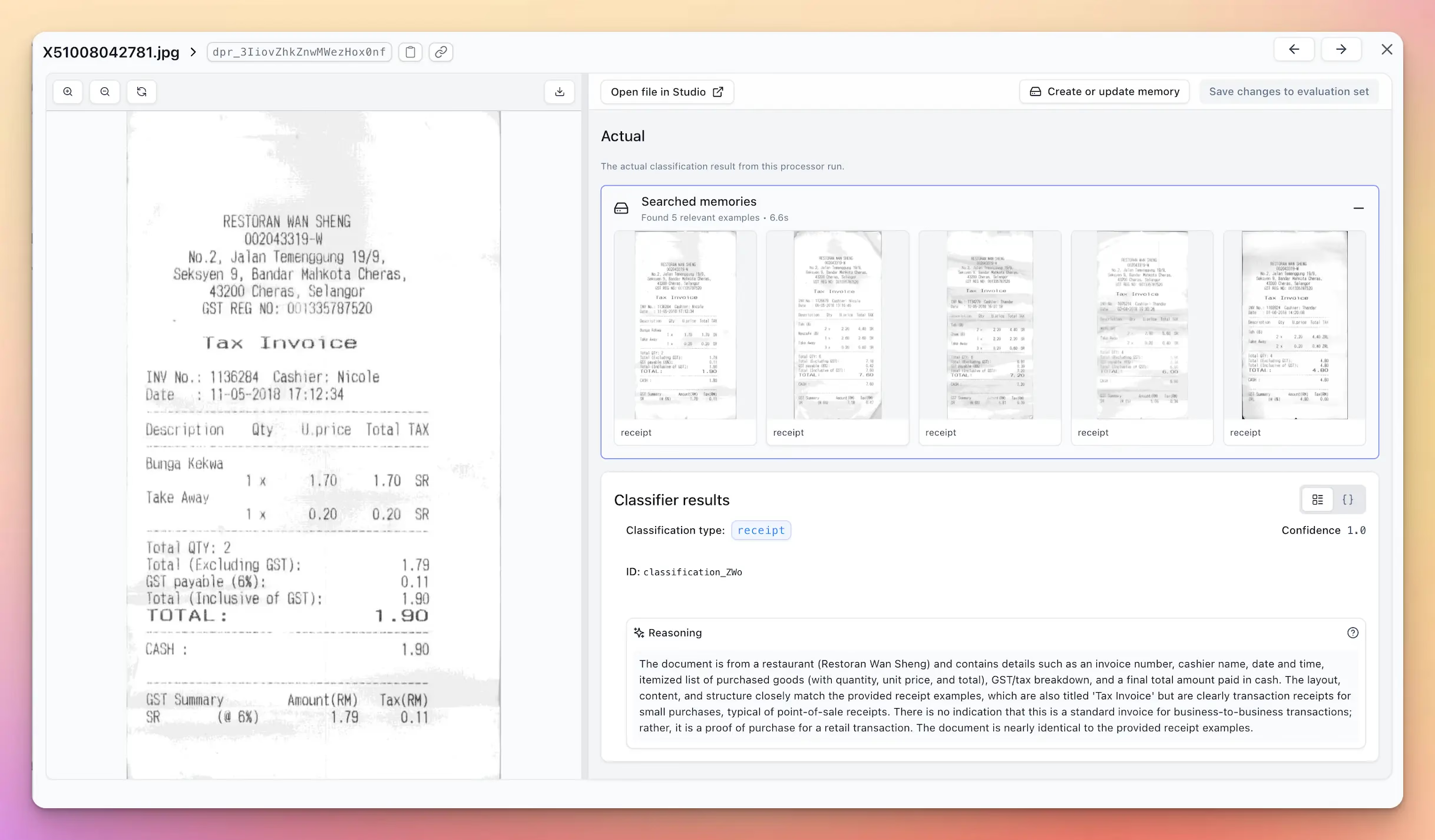
Memory is a multimodal retrieval system that stores representations of how documents were previously classified, split, or extracted. When a new document arrives, Memory retrieves the most visually similar examples and uses them to guide processing decisions. Memory scales naturally as you process more documents, adapts to new formats as examples accumulate, and requires no special tuning or maintenance.
Traditional retrieval systems match on meaning. Memory searches by visual layout similarity, not semantic similarity. Memory matches on spatial arrangement of elements, presence of tables or headers, overall document structure. In document processing, layout is often the most reliable signal.
Learn more about Memory by reading our docs.
Interested in learning more or trying out any of these features, book a demo or try yourself.
And many more…
Feature requests and UI changes that make the best document processing solution, even smarter.
Composer Background Agent:
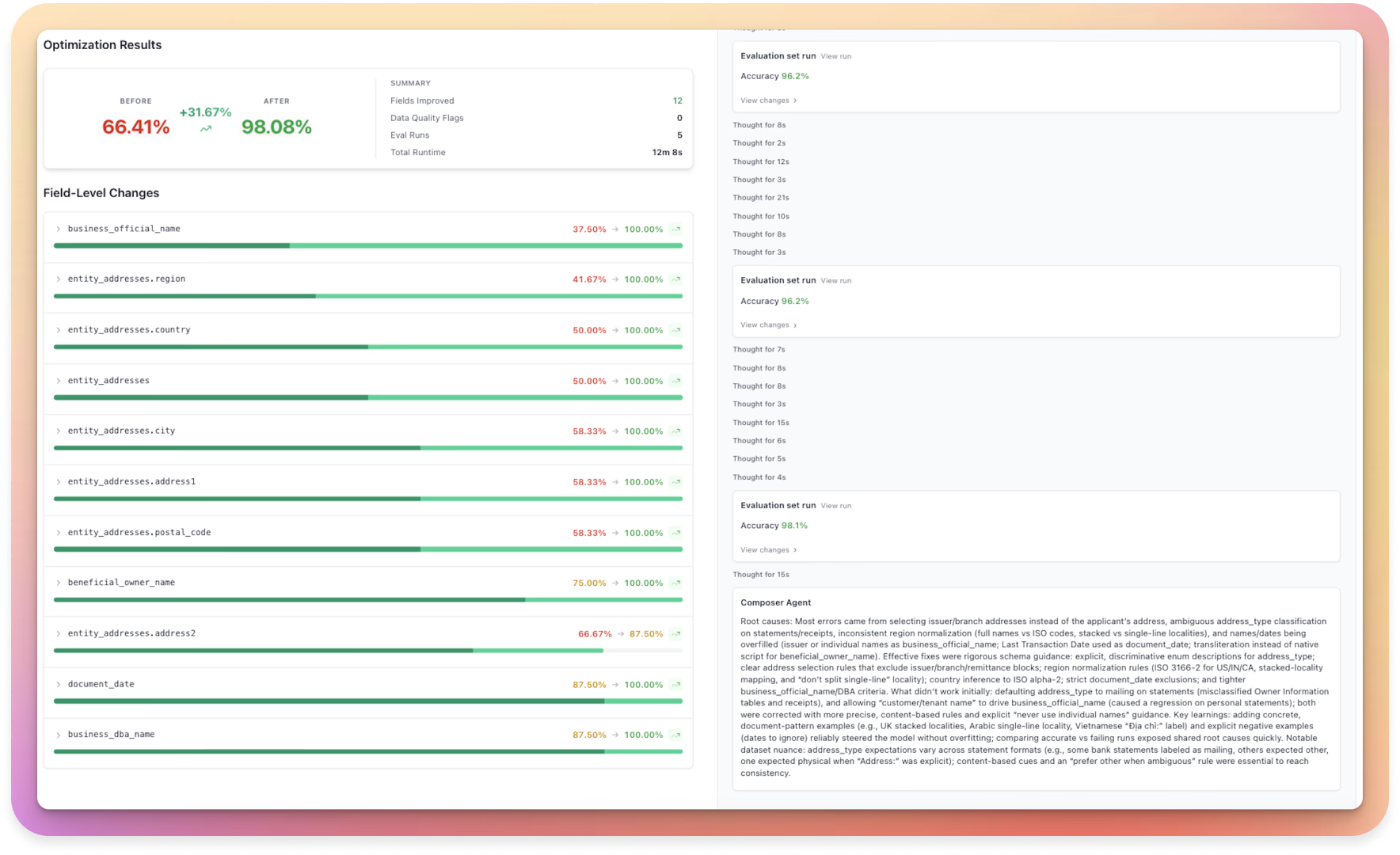
Composer is an AI agent that learns from your documents and optimizes your schemas automatically. Instead of tuning prompts by hand, simply point Composer at your eval set within Extend. Composer analyzes where the current schema falls short, proposes targeted improvements, and evaluates multiple experiments in parallel. Learn more about Composer here!
Schema Drift:

When a structured output schema changes, Composer automatically detects the change, auto-repairs labeled results to match the new schema, and surfaces the re-mapping for review and approval.
Self Hosting & EU Deployment:
We now have a fully compliant EU deployment and reworked our internal infrastructure setup to enable much easier self-hosting or “bring your own cloud” deployment options.
Enhanced Evaluation Suite:

We’ve supercharged our evaluation system with powerful new testing options to help you measure and improve accuracy with more precision. New evaluation comparison options:
- llm-as-judge with custom instruction
- vector (embeddings based) matching
- controllable fuzzy score
We also added the ability for you to save these configs as a preset for easy reuse in future runs.
Array Strategy Controls
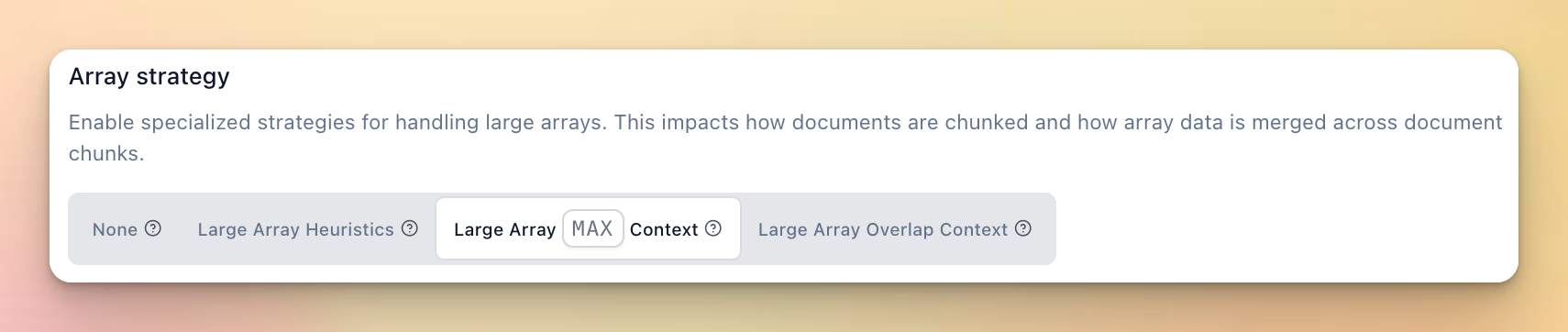
More precise control over behavior of array extraction to impact chunking/merging across large documents for large array extraction. Use MAX context and Overlap Context strategies to consistently handle page-break/table-splitting issues and maximize your large array extraction accuracy.
Array Citation Strategy
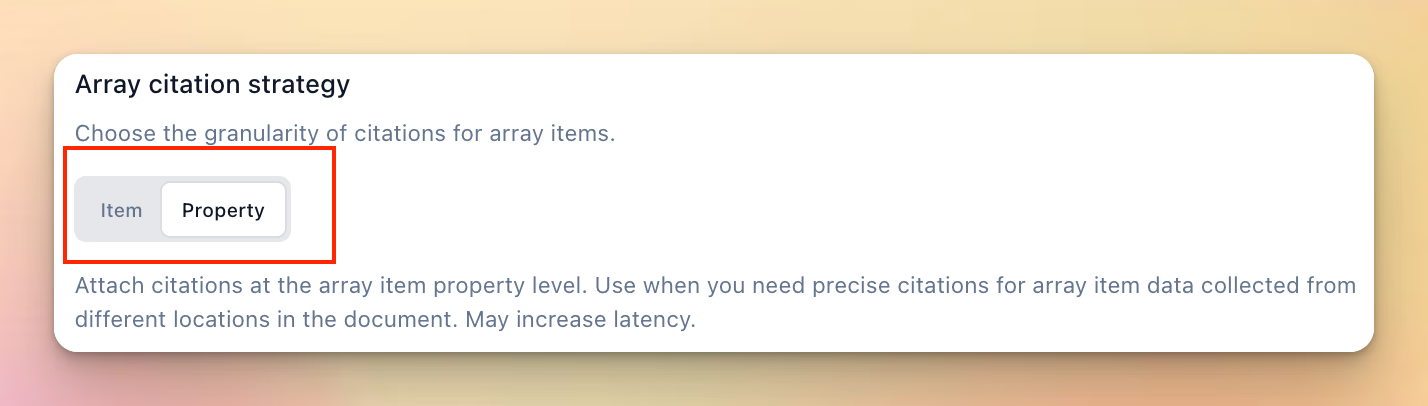
You can now configure the granularity of citations for extracted arrays, with the ability to choose between item or property level citations. Item level citations are the default and will return a citation for each item in the array. Essentially "row" level citations if extracting from a table. Property level citations will return a citation for every leaf property of every item in the array. Essentially "cell" level citations if extracting from a table.
Extended page limits

The Parse API now supports documents up to 1,250 pages, a significant increase from previous limits.
API Logs UI

Track and debug your API calls with our new logs interface in the Developers tab, with new filtering and views.
Detailed Usage breakdowns
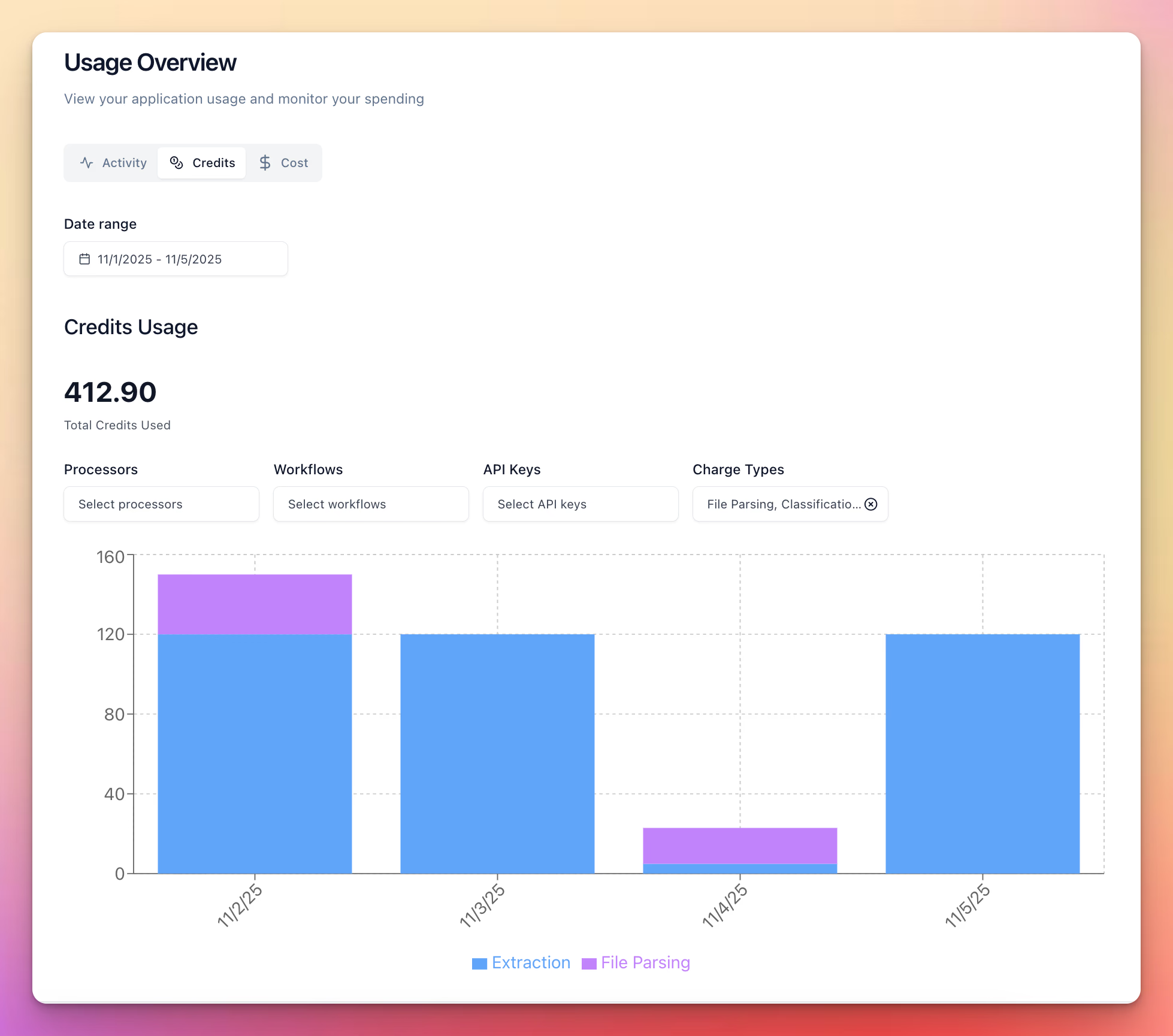
Get detailed insights into your credit usage with new charts and views. View credit costs on individual run detail pages, and filter by API keys, workflows, and more.
Side-by-side Review UI

We’ve redesigned our review UI with a series of new changes, including:
- Side by side result comparison
- Toggles to control form vs. json in any view
- Select output vs. expected, expected only, actual only, parse view etc.
- New table component for much better editing/reading of large arrays
- A bunch of nice keyboard shortcuts to navigate and edit the review UI
Long-tail File Support
We’ve added support for a wide range of “long-tail” file types! Newly supported formats: .gif, .webp, .ppm, .pcx, .psd, .wpd, .dotx, .xltm, .xltx, .bmp, .rtf, .les .eml. All types above supported in extract/split/classify operations
—
Interested in learning more or trying out any of these features, book a demo or try yourself.