Modern teams deal with an overwhelming volume of documents that arrive in bulk and rarely in the format downstream systems expect. Long PDFs must be broken apart, multi-page scans need to be separated by customer or case, and valuable structured data is often buried inside unstructured files.
Batch document processing tools automate this separation by detecting boundaries between documents, whether through AI analysis or visual markers. In this post, we look at what is actually available in 2026 for teams that need splitting logic robust enough to handle real-world variability without endless manual intervention.
TLDR:
- Document splitting separates batch files into individual records for extraction pipelines.
- VLM-based splitting handles variable layouts better than regex or barcode methods.
- Extend offers multi-mode processing, schema versioning, and agentic optimization for scale.
- Composer agents auto-tune split logic against evaluation sets, removing manual tuning.
- Extend provides the most accurate splitting APIs with built-in benchmarking and safety tools.
What is Document Splitting for Batch Processing?
Picture this: Your team receives a 200-page PDF containing 50 different invoices from various vendors, all scanned together. Or a batch file with dozens of loan applications mixed together. Before you can extract any meaningful data, you need to answer a fundamental question: where does one document end and the next begin?
Document splitting solves this critical upstream problem. It automatically separates bulk files, whether merged PDFs, multi-page scans, or combined document batches, into individual, extraction-ready records. Without accurate splitting, downstream extraction models receive messy, multi-document inputs that create noise, hallucinations, and unreliable results.
Traditional approaches rely on brittle methods like counting pages, detecting barcodes, or pattern-matching with regex on OCR output. Modern solutions use VLMs to understand document boundaries semantically, recognizing where one invoice ends and another begins based on visual layout and content rather than arbitrary markers.
The result? Clean, single-document inputs that your extraction pipeline can process reliably. Whether you're handling simple PDF splitting or complex multi-format batches with varying layouts, accurate document separation is the prerequisite that makes high-volume automation possible.
Key Considerations for Document Splitting Solutions
Not all document splitting tools are created equal. When evaluating solution for production batch processing, three core capabilities separate enterprise-grade platforms from basic utilities:
Splitting Logic Sophistication
Basic utilities relying on heuristics like blank page detection or fixed page counts fail in production. The best solutions deploy VLM and LLM capabilities for semantic content-based splitting rather than those dependent on regex or barcodes. VLMs achieve 42-67% accuracy in document processing tasks compared to traditional OCR, representing a marked improvement particularly for complex, multi-structured documents.
Throughput is Key
The best tools provide robust REST APIs or SDKs that integrate directly into Python or Java pipelines. They also need to scale reliably under high concurrency, avoiding latency spikes while processing massive PDF payloads and returning structured, extraction-ready files.
Workflow Flexibility Defines Utility
Production environments require hybrid approaches supporting multiple strategies, including classification-based routing and visual boundary detection. The top tools let engineering teams toggle between automated AI separation and deterministic rules based on the document class.
These three capabilities define production-grade splitting. Compromise on any dimension and you'll face brittle rules, throughput bottlenecks, or manual workarounds that defeat automation. The platforms below show how different vendors approach these requirements.
Best Overall Document Splitting Tool: Extend
Extend is the complete document processing toolkit comprised of the most accurate parsing, extraction, and splitting APIs to ship your hardest use cases in minutes, not months. Extend's suite of models, infrastructure, and tooling is the most powerful custom document solution, without any of the overhead. Agents automate the entire lifecycle of document processing, allowing your engineering teams to process your most complex documents and optimize performance at scale.
Key Features:
- Classification at split time. Each segment gets classified as it's identified (contract, invoice, addendum, etc.), so routing logic can kick in immediately.
- Identifier support for duplicates. When a file contains five invoices, the system can distinguish them by unique identifiers like invoice numbers—critical for traceability in high-volume pipelines.
- Flexible performance tiers. Choose between high-precision mode (best for accuracy-sensitive workflows) or low-latency mode (best for speed at scale).
- Intelligent merging. For batch ingestion where the same document might appear across multiple uploads, Extend automatically reconciles duplicates across chunks.
Bottom Line:
Extend’s splitting logic is built for the variability of batch ingestion, reliably detecting and separating combined files into clean, individual documents. It scales to high-volume pipelines and includes intelligent merging to automatically reconcile duplicates across chunks. It’s ideal for engineering and operations teams handling mission-critical documents who need production-grade accuracy, flexible performance tiers, and tooling to deploy and optimize splitting workflows.
Reducto
Reducto functions as an OCR API providing parsing and extraction with basic splitting functionality. It takes a single-mode approach to processing, focusing on converting images to text rather than handling complex batch separation logic.
Key Features:
- OCR-based processing APIs for text extraction
- Cloud deployment for document workflows
- Basic extraction for structured data
- SOC2 and HIPAA compliance
Limitations:
The single splitting mode prevents teams from optimizing between cost and speed. When your workflow requires both real-time processing and high-volume batch operations, you cannot adjust performance per scenario. Without schema versioning, changes to splitting logic deploy directly to production with no safe testing environment. The absence of evaluation tooling makes it impossible to measure or improve splitting accuracy as document formats change.
Bottom Line:
Reducto can handle straightforward splitting tasks but lacks the performance controls and testing infrastructure required for production environments where accuracy and cost efficiency matter. It’s best suited for teams with simple, predictable splitting needs.
Unstract
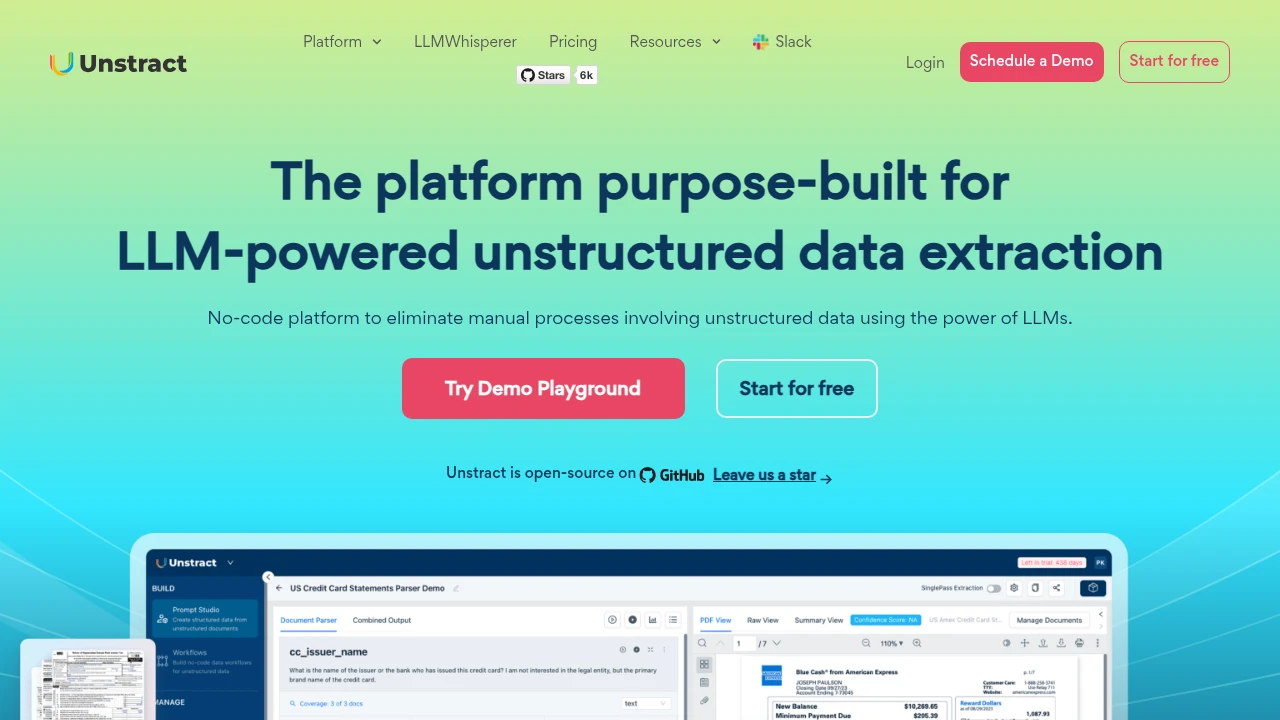
Unstract offers an AI document splitter API designed to handle mixed PDF files containing multiple document types.
Key Features:
- AI-powered boundary detection that automatically identifies where one document ends and another begins within mixed PDF batches
- REST API integration for programmatic document splitting operations
- Automatic document type identification that recognizes different forms and documents within a single batch file
- Processing capability for variable-length document sequences where page counts change from document to document
Limitations:
Unstract focuses on splitting without integrated extraction, classification, or parsing capabilities. After splitting documents, you need separate tools for data extraction and downstream processing, requiring additional vendor integrations. The lack of performance tier options means you pay the same processing cost regardless of whether you need sub-second latency or can tolerate longer batch processing times.
Bottom Line:
Unstract handles intelligent splitting for mixed documents but requires stitching together multiple vendors to build a complete document processing pipeline.
ConvertAPI
ConvertAPI provides document conversion and manipulation APIs with PDF splitting capabilities.
Key Features:
- Split PDFs by page patterns, text patterns, or bookmarks with regex-based pattern matching for document separation
- Cloud infrastructure with multiple SDK options for integration into existing development workflows
- Page range and custom chunk splitting for fixed document arrangements
- Supports returning split pages as separate files or recombining selected segments into a unified PDF
Limitations:
ConvertAPI requires explicit pattern definitions or page rules to split documents. Processing invoices where page count varies by line items, or applications where supporting documents differ per submission, requires either extensive pattern maintenance or preprocessing to normalize documents. Additionally, the tool provides no learning capability, so each new document variation demands manual rule updates.
Bottom Line:
ConvertAPI is well suited for development teams building document conversion workflows who need programmable PDF splitting based on text patterns or fixed page arrangements as part of broader file format manipulation. However, it lacks the ability to adapt to document variability and requires constant manual rule maintenance.
Docsumo
Docsumo functions as an extraction tool handling splitting via deterministic logic. It uses explicit markers to separate batch files, suiting operations teams processing standardized documents like invoices where separators stay constant.
Key Features:
- Splits documents by fixed page count, text patterns, QR codes, or custom API rules
- Pre-trained models for invoices, bank statements, and other financial documents
- Works with classification systems to route split documents
- Organizes outputs into folder structures
Limitations:
The splitting relies on predefined rules instead of learning document boundaries. Documents without consistent separators need QR codes added during scanning or custom API code to split correctly. This preprocessing step adds manual work when documents come from external sources you can't control.
Bottom Line:
Docsumo works for teams processing standardized documents with consistent separators, but its reliance on predefined rules creates maintenance overhead when document formats evolve.
Feature Comparison Table of Document Splitting Tools
Choosing the right stack for batch document processing requires distinguishing between rigid desktop apps and programmable infrastructure. While legacy OCR tools handle simple separation, complex workflows demand the semantic understanding available through advanced models.
The matrix below contrasts capabilities across key providers for automated document splitting.
| Feature | Extend | Reducto | Unstract | ConvertAPI | Docsumo |
|---|---|---|---|---|---|
| AI boundary detection | Yes | Limited | Yes | No | Limited |
| Multiple performance modes | Yes | No | No | No | No |
| Pattern-based splitting | Yes | Yes | No | Yes | Yes |
| Evaluation & accuracy measurement | Yes | No | No | No | No |
| Agentic optimization | Yes | No | No | No | No |
| API availability | Yes | Yes | Yes | Yes | Yes |
Why Extend is the Best Document Splitting Solution for Batch Processing
As organizations accelerate digitization, most intelligent document processing tools still rely on heavy manual configuration to handle document variability. Extend eliminates this burden with AI-driven boundary detection and automated optimization, delivering the accuracy required in financial services, healthcare, logistics, and other compliance-sensitive environments where splitting errors can cause operational and regulatory risk.
For high-volume batch workflows—where teams must maintain 95%+ accuracy while meeting tight processing timelines—Extend provides three core advantages.
Multi-mode Architecture
Extend's multi-mode architecture routes documents by urgency and cost within a single workflow, optimizing both performance and spend.
Composer AI Agent
Composer automatically adapts splitting logic as document formats evolve, removing the need for manual retraining. And its evaluation framework quantifies accuracy across batches before documents flow downstream, preventing failures and reducing costly manual corrections.
Evaluation Framework
The evaluation framework measures accuracy quantitatively across batches before documents reach downstream systems.
Together, these capabilities make Extend the most reliable and scalable solution for mission-critical document splitting at enterprise scale.
Final Thoughts on Document Splitting Infrastructure
Legacy tools force you to choose between desktop apps with no API or basic OCR that fails on variable layouts. Automated document splitting for production needs VLM capabilities and multi-mode processing to balance cost against latency. Extend was designed to replace the fragile regex logic that creates manual review overhead, giving your team the semantic understanding required for high-volume batch operations.
FAQ
How does AI-based document splitting differ from traditional rule-based methods?
AI-based splitting uses VLMs to detect logical document boundaries through semantic content analysis, while traditional methods rely on fixed page counts, barcodes, or regex patterns that break when document layouts vary. VLM approaches handle variable formats without manual rule updates.
What should I look for in a document splitting API for high-volume batch processing?
Prioritize solutions offering multiple processing modes for cost versus latency optimization, REST APIs with high concurrency support, and schema versioning for safe production changes. Built-in evaluation frameworks let you measure splitting accuracy before deployment.
Can document splitting tools handle mixed document types in a single batch file?
Yes, advanced splitting tools use classification-based routing to identify different document types within a batch and apply appropriate separation logic. This requires VLM capabilities rather than deterministic rules to detect boundaries across varying formats like invoices, contracts, and applications in one file.
When does manual splitting become too expensive to maintain?
When your team spends significant time updating regex patterns or separator rules for new document variations, or when splitting errors create downstream extraction failures requiring manual review. Automated VLM-based splitting eliminates this maintenance overhead.