At Extend, we've spent years focused on one side of the document problem: getting data out. Extraction, classification, splitting, parsing. Our best in-class document APIs help leading AI teams build incredible products on top of their unstructured data in days instead of weeks.
But document workflows don't end at extraction. Documents are systems of record between counterparties. This is true in real estate, where contracts and disclosures flow between buyers, sellers, agents, and lenders. It's true in healthcare, where pre-authorization forms move between providers, insurers, and patients. And it's true in financial services, logistics, insurance, and dozens of other industries where paperwork is the connective tissue between organizations.
In many industries, the data you extract eventually needs to go back into a document. The same workflows that require pulling data from PDFs often require filling data into them. Most document processing infrastructure only handles the first side. Teams end up cobbling together PDF libraries, building brittle field-mapping logic, or relying on manual data entry to complete the loop.
That's what Edit does. It's a single API to fill any form, programmatically—whether you're working with a known template you'll use thousands of times or a document you've never seen before.
Combined with Extend's extraction, classification, and splitting APIs, Edit enables true end-to-end document automation. Data flows in through extraction. Data flows out through Edit. Loop complete.
How Edit Works
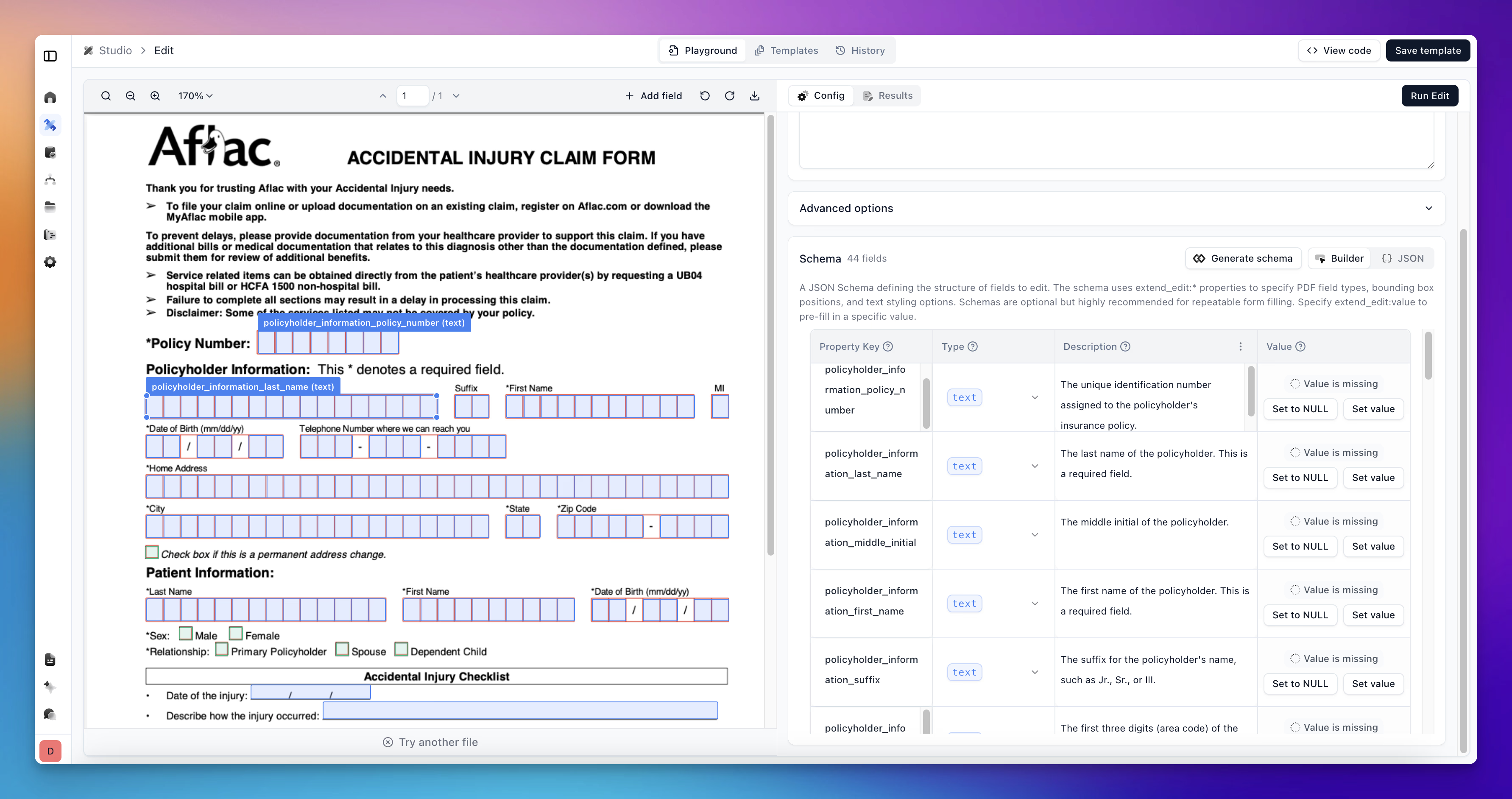
Edit endpoint allows you to edit PDF documents by detecting form fields and filling them with provided data. It’s ideal for automatically filling out PDF forms, pre-populating documents with customer data, and generating filled documents at scale. You can manually adjust the location of bounding boxes and resize them if they don't exactly match what you see, or change the type as desired.
Edit supports two distinct approaches, each designed for different use cases.
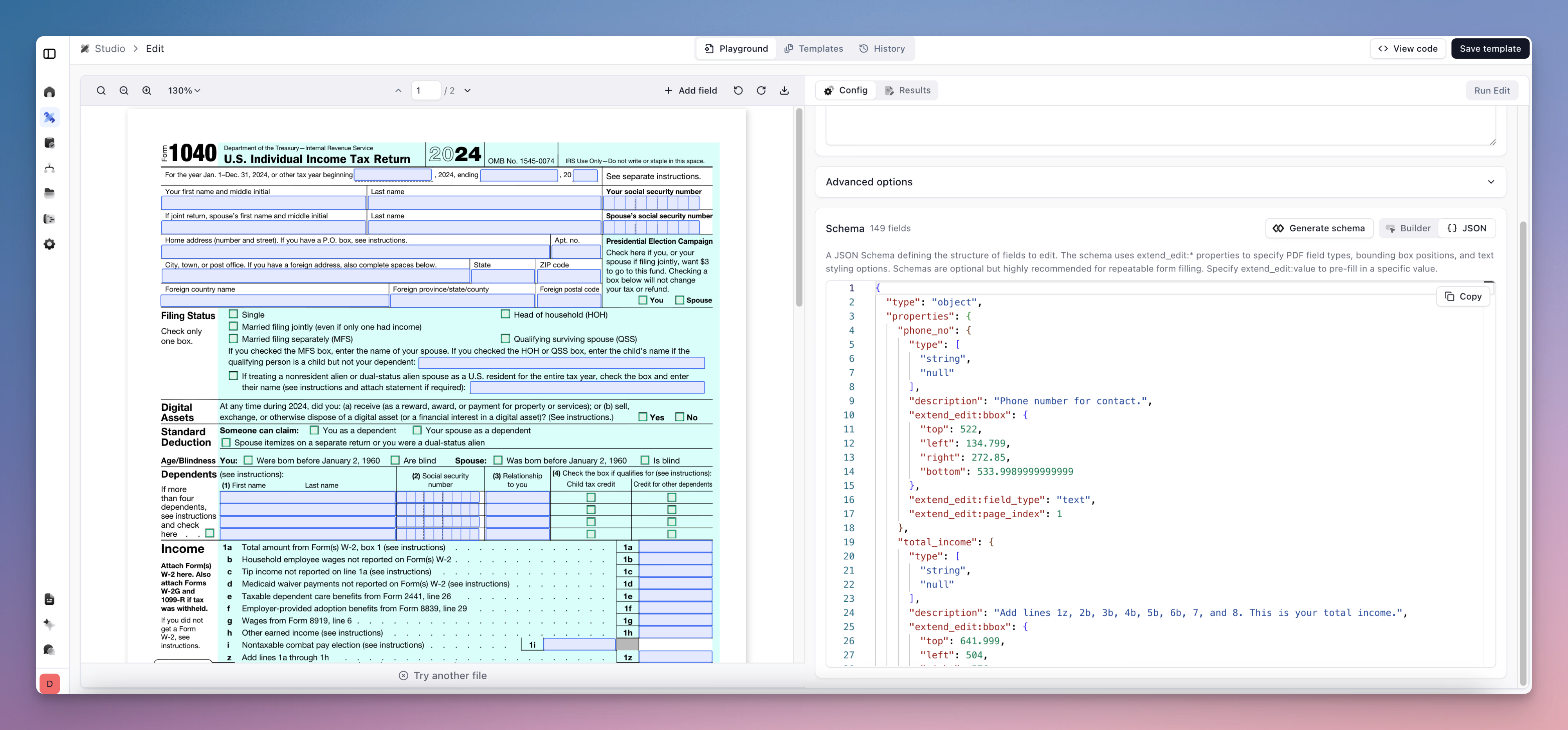
Template-based filling is for forms you know ahead of time: tax documents, disclosure forms, standard contracts, compliance paperwork. These are forms with predictable structures that you'll fill repeatedly with different data.
The workflow starts in Extend Studio. Upload an unfilled PDF, and Edit runs form field detection models to analyze the document and generate a schema automatically. The system identifies text fields, checkboxes, tables, and other form elements, labeling each with a field name and type. You can adjust these in the UI if needed, resize bounding boxes, rename fields, or change how tables are parsed. For forms with complex table structures, you can configure tables to be treated as arrays, which makes it easier to fill rows programmatically.
Once your schema is set, you fill the form via API by passing in values for each field. The same template can be used thousands of times with different data. This is deterministic, repeatable form filling.
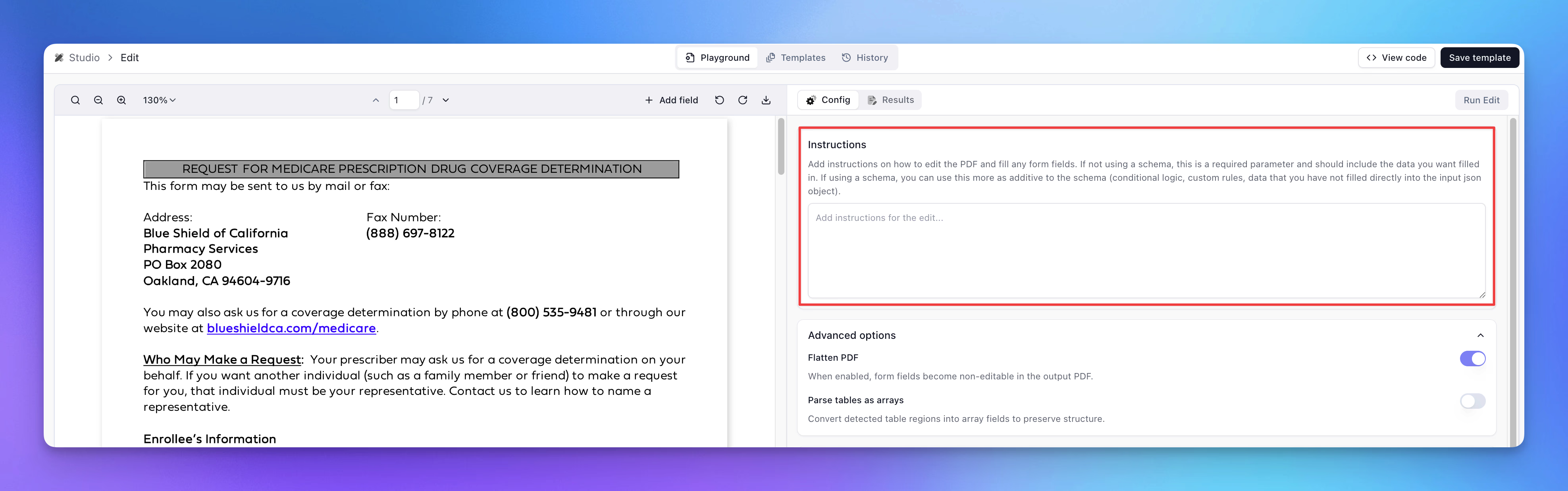
Instruction-based filling is for scenarios where you don't know the form structure ahead of time. Maybe you're building an AI agent that needs to complete forms as part of a larger workflow. Maybe you're handling documents from many different sources and can't pre-configure templates for each one.
In this mode, you submit a PDF along with natural language instructions describing how to fill it. Edit analyzes the document on the fly, detects form elements, and fills them based on your instructions. No schema required. No pre-configuration. Just a PDF and a prompt.
This mode is designed to work as a tool for AI agents and LLM-powered systems. When your agent encounters a form that needs to be completed, it can call Edit with instructions and receive a filled PDF in return.
Of course, you can apply a hybrid approach to fit any use case. Maybe you know the locations & some values ahead of time, but you still want some special conditionals or to let an LLM determine the actual values to fill in. Edit enables full flexibility and customizability.
Under the hood, Edit combines hybrid object detection models with vision-language models to understand document layouts visually. It can identify text fields, checkboxes, radio buttons, tables, and signature blocks. It understands where form elements are positioned on the page and how they relate to labels and surrounding content. This visual understanding is what allows Edit to work with arbitrary PDFs, not just forms with embedded field metadata.
Use Cases
The pattern is consistent across industries: data arrives from multiple sources, gets processed and validated, and then needs to be output into a specific document format. Here are some examples of how early testers are experimenting with Edit:
- Real estate transactions involve dozens of forms. Purchase agreements, disclosure statements, title documents, closing packets. Data extracted from one document often needs to populate fields in another. A closing coordinator might extract property details from a listing agreement and use that data to fill a transfer disclosure.
- Healthcare pre-authorization requires submitting specific forms to insurance providers before procedures can be approved. The information needed to complete these forms often comes from patient records, clinical notes, and prior authorizations. Automating this means extracting from source documents and filling the required forms.
- Financial services teams handle account applications, tax documents, and compliance filings. Customer information extracted from onboarding documents needs to flow into KYC forms, W-9s, and account agreements.
- Logistics and supply chain operations deal with bills of lading, customs declarations, and shipping manifests. Data from purchase orders and inventory systems needs to populate these forms accurately and quickly.
In each case, Edit serves as the output layer. It takes structured data, whether from Extend's extraction processors or from your own systems, and writes it into the documents your workflows require.
Why We Built Edit
Form filling sounds straightforward until you try to automate it at scale.
Detecting form fields in arbitrary PDFs requires visual understanding. Not all PDFs have embedded form metadata. Many are scanned documents or exports from systems that don't preserve field structure. Reliably identifying where text fields, checkboxes, and tables are located requires models trained specifically for this task.
Tables are particularly tricky. Aligning values to the right cells, handling variable row counts, and dealing with nested structures all add complexity. And signatures, checkboxes, and radio buttons each have their own quirks.
Building this for one form type is manageable. Building it for dozens or hundreds of form types, each with its own layout and field structure, creates significant ongoing maintenance. Every new form requires new mapping logic. Every form revision requires updates.
The instruction-based mode adds another layer of difficulty. Dynamically analyzing a document you've never seen, understanding its structure, and filling it correctly based on natural language instructions requires sophisticated vision-language models and careful prompt engineering.
Edit handles this complexity so your team doesn't have to.
Available Now in Public Beta
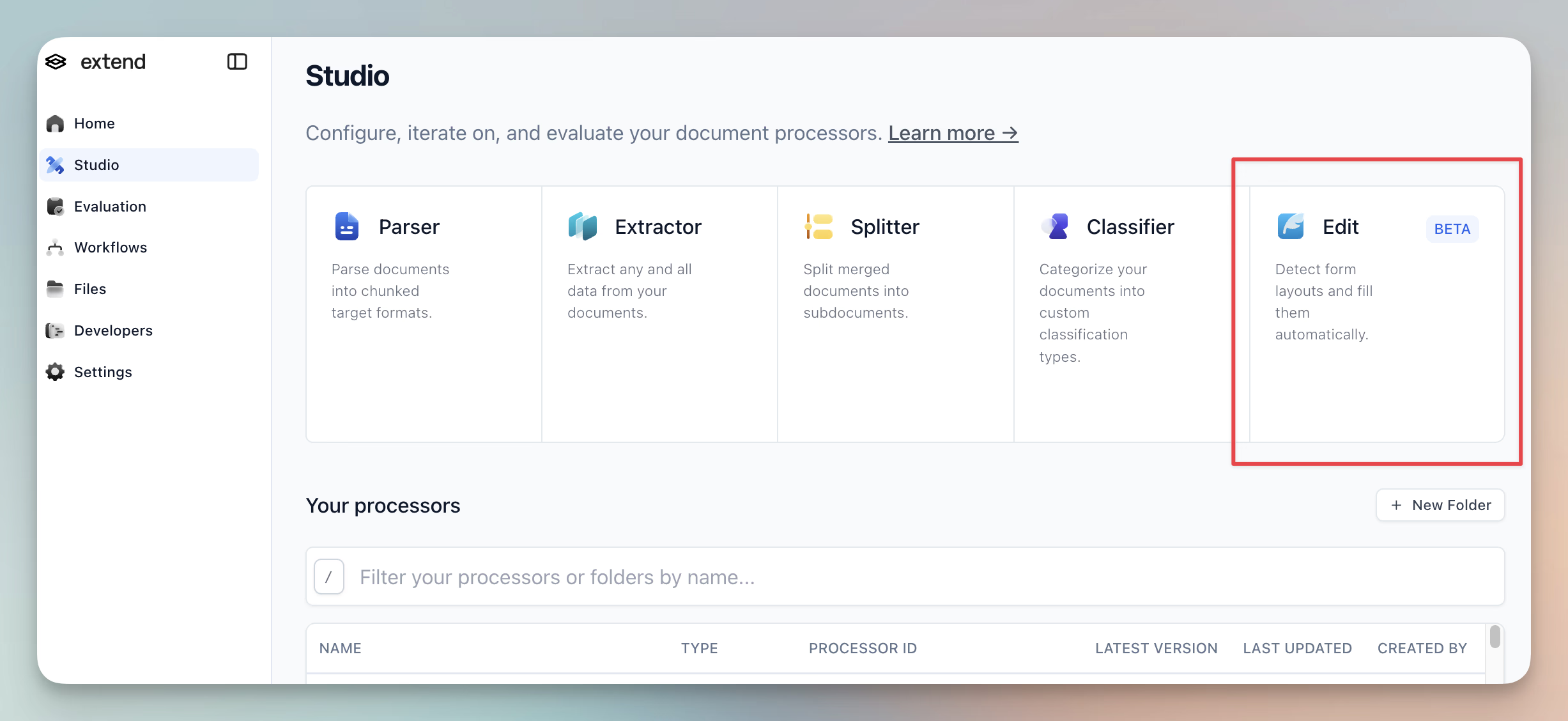
Edit is available today for teams building document workflows that require form filling. Whether you're automating back-office paperwork, building agent-powered document tools, or completing end-to-end transaction flows, Edit can help you close the loop.
Learn more about Edit works through our docs.
Talk to us about getting started with Edit or try it yourself at extend.ai.